.intunewin File Format
Microsoft Intune supports uploading single-file MSI installers as line-of-business apps or uploading installers as Win32 apps in .intunewin format. We recommend wrapping installations with PSAppDeployToolkit, which means each package should be converted to .intunewin format first. There are two ways to create an .intunewin file:
- Microsoft Win32 Content Prep Tool
- Master Packager Toolbox
Note: You should not mix line-of-business apps and Win32 apps during Windows Autopilot enrollment. During Windows Autopilot device preparation, mixing line-of-business and Win32 apps is supported.
1. Microsoft Win32 Content Prep Tool
Microsoft Win32 Content Prep Tool is a command-line tool from Microsoft that converts installation packages to .intunewin format. You can download it from the GitHub releases page. This tool supports .intunewin creation only and does not support extraction.
How to use it
IntuneWinAppUtil.exe -c <setup_folder> -s <source_setup_file> -o <output_folder> <-q>
- <setup_folder> - Full path to the folder to convert to
.intunewin. - <source_setup_file> - Name of the main setup file. Intune uses this value to prefill installation command lines.
- <output_folder> - Full path to the folder where the
.intunewinfile will be created.
2. Master Packager Toolbox
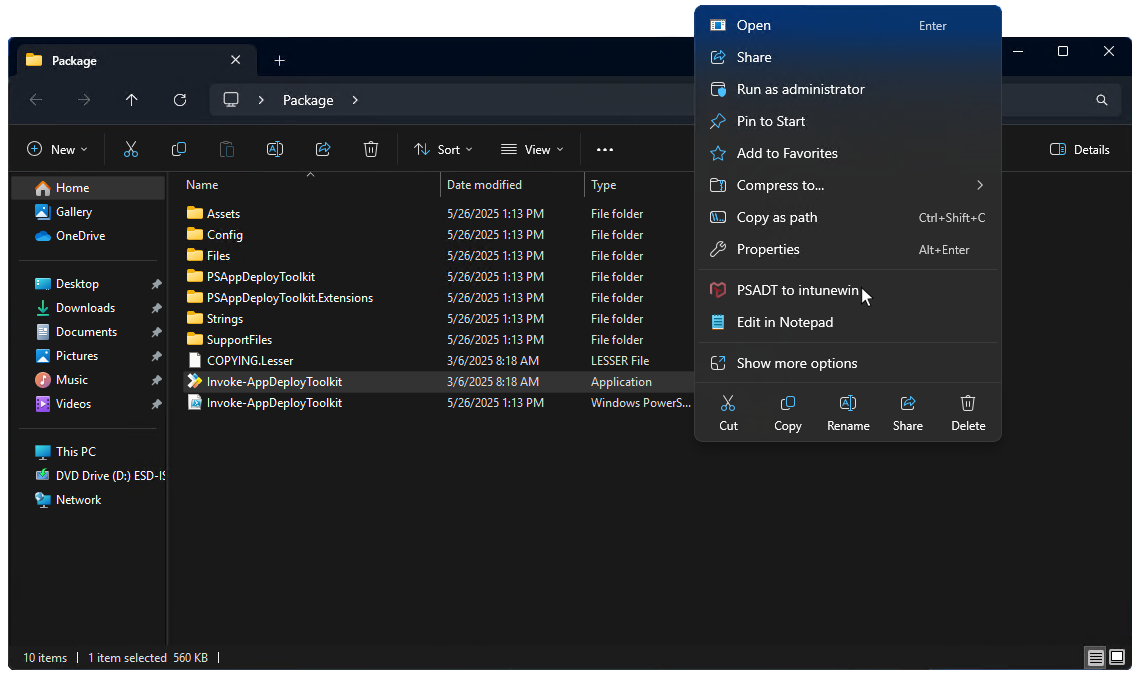
Master Packager Toolbox offers two ways to create .intunewin files. The first method is to use the right-click context menu on Invoke-AppDeployToolkit.exe or Deploy-Application.exe.
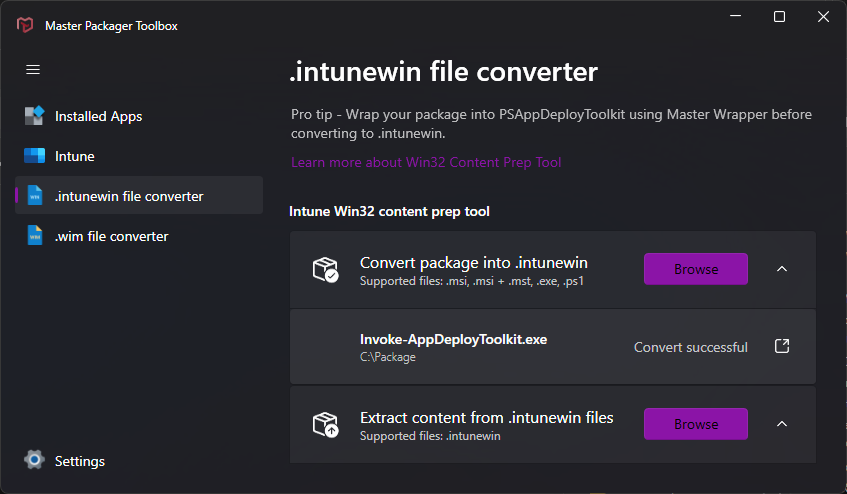
The second method is to use the .intunewin file converter in Master Packager Toolbox. It supports both conversion and extraction.
If you are using Intune Integration in Master Packager Toolbox, the .intunewin file is created automatically during the upload workflow.