Connect to Patch My PC with Master Packager Toolbox
To upload packages to Patch My PC Custom Apps, you need a Patch My PC Cloud license and at least one registered company. The company must also be connected to an Intune account.

Connecting Master Packager Toolbox to your PMPC account
To upload applications to PMPC, first sign in with an account that has one of these roles in your Microsoft Entra tenant:
- Global Administrator
- Cloud Application Administrator
- Application Administrator
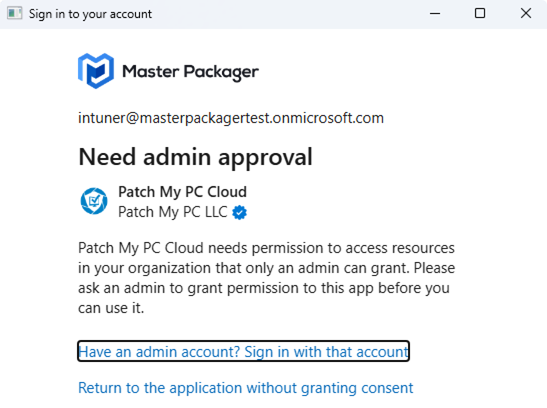
These roles are required to register a Microsoft Entra application that allows Master Packager Toolbox to communicate with Microsoft Graph API. If you do not have the required permissions, you will receive the following message:
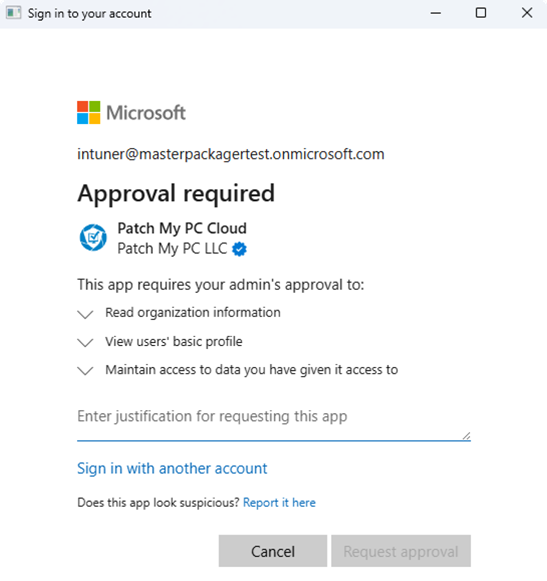
If your organization allows users to request admin approval, you will receive the following message:
The Patch My PC Custom apps SDK requires some additional permissions than using the PMPC Cloud portal.
If you have the required permissions, tick the consent checkbox and click Accept.
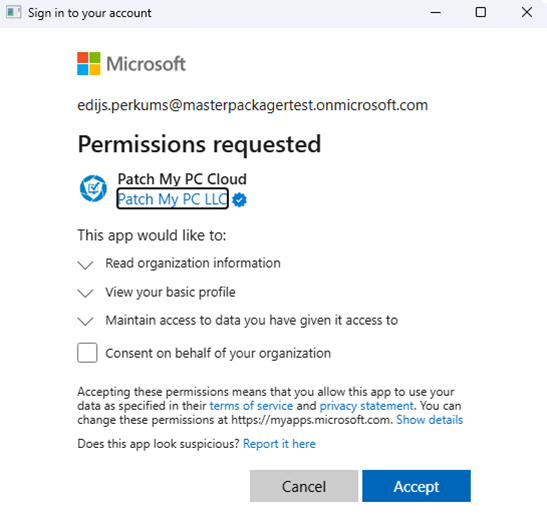
This registration only needs to be completed once. After the application is registered, any user in your tenant can sign in.