Application Search
The Application Search view lists all application search signatures in the MSI and stores the results in properties.
Use it when the installer needs a file, registry value, or directory path for configuration or conditions.

Click an application search entry to open the editing flyout.
Search types
There are three application search types: file, registry, and directory.
File search
Use File Application Search to locate a specific file on the target system.
- Search defined folders, such as
ProgramFilesFolder, for a specific file name. - Store the full path in the selected property when the file is found.
- Detect installed applications by checking for known executable files.
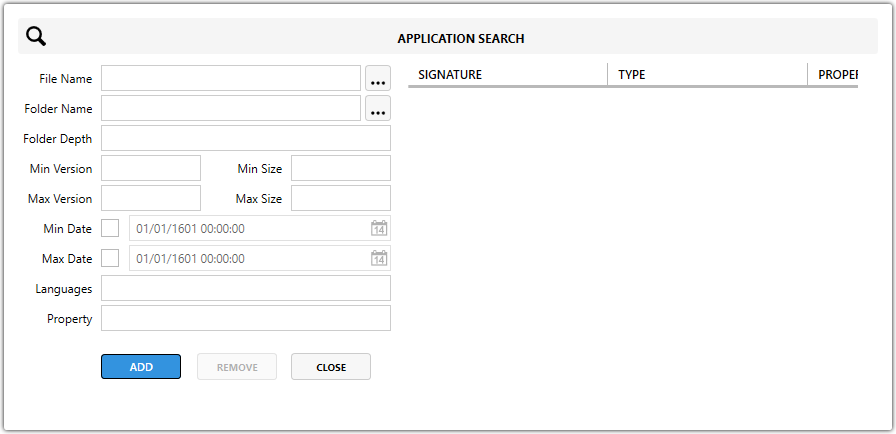
| Field | Description |
|---|---|
| File Name | Sets the file name to search for, for example vlc.exe. |
| Folder Name | Sets the folder to search. Use a known MSI folder such as [ProgramFilesFolder] or a custom path. |
| Folder Depth | Defines how many subfolders deep the search goes. Use 0 to search only the specified folder. Higher values search deeper. |
| Min Version / Max Version | Filters the search by file version. |
| Min Size / Max Size | Filters the search by file size to avoid false matches. |
| Min Date / Max Date | Filters the search by file modification date. |
| Languages | Filters the search to files with a specific language attribute. This is rarely used. |
| File Search Property | Defines the MSI property that stores the search result. |
Registry search
Use Registry Application Search to locate a specific registry key or value.
- Search a defined registry root and path.
- Check whether a key exists or read a specific value from that key.
- Store the found value in the selected property.
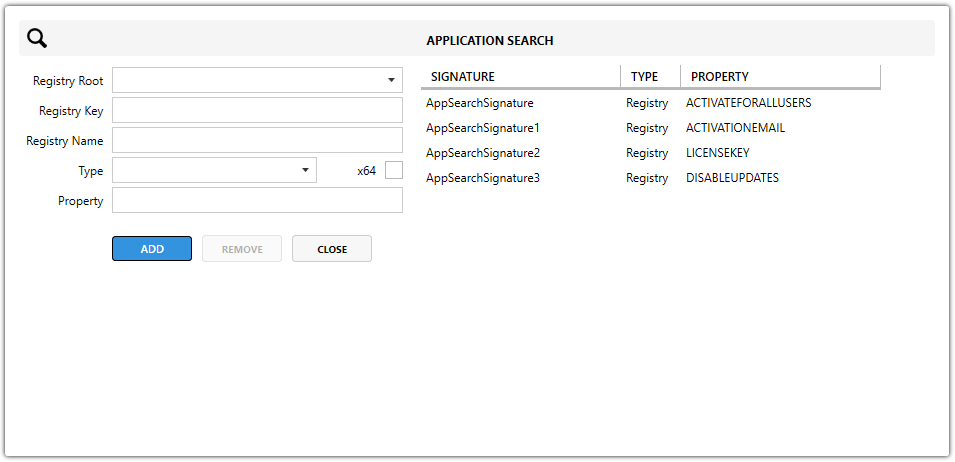
| Field | Description |
|---|---|
| Registry Root | Defines the top-level registry hive. Available options are HKCR, HKCU, HKLM, HKU, and AllUsers Dependent, which resolves to HKLM or HKCU based on ALLUSERS. |
| Registry Key | Sets the registry key path without the root. |
| Registry Name | Sets the value name inside the registry key. Leave it empty to check whether the key exists without reading a value. |
| Registry Type | Defines the expected registry data type, such as REG_SZ, REG_DWORD, REG_BINARY, or REG_MULTI_SZ. |
| x64 Search | When enabled, searches the 64-bit registry view. |
| Registry Search Property | Defines the MSI property that stores the found registry value or the indication that the key exists. |
Directory search
Use Directory Application Search to verify whether a specific folder exists.
- Search known folders or custom paths.
- Store the directory path in the selected property when the folder is found.
- Check installations that use non-default paths.
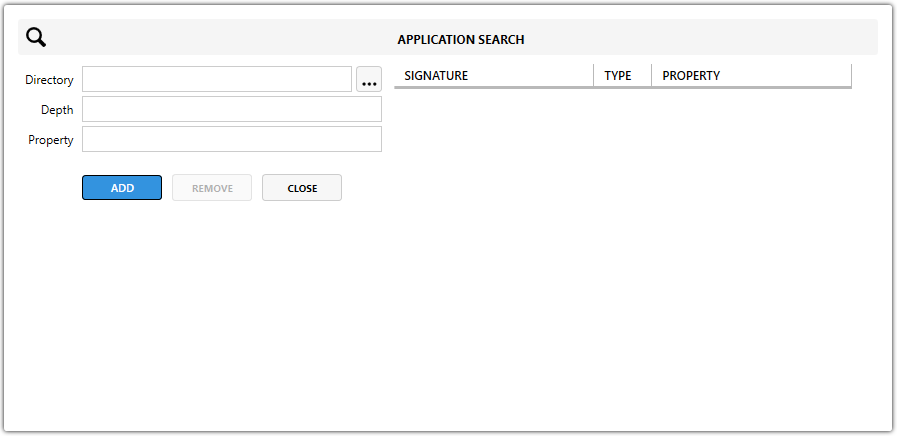
| Field | Description |
|---|---|
| Directory Path | Sets the folder path to check. Use a known MSI folder property such as [ProgramFilesFolder] or a custom path. |
| Directory Depth | Defines how many subfolders deep the search goes. Use 0 to check only the specified folder. Higher values search deeper subdirectories. |
| Directory Search Property | Defines the MSI property that stores the found directory path. |
Why use Application Search?
- Determine whether prerequisites are installed before continuing.
- Create launch conditions that block installation when required applications or files are missing.
- Configure paths dynamically so the
MSIcan adapt to different environments.
note
Properties set by Application Search are preserved during repairs, which helps keep behavior consistent across install, repair, and uninstall operations.