Environment Variables
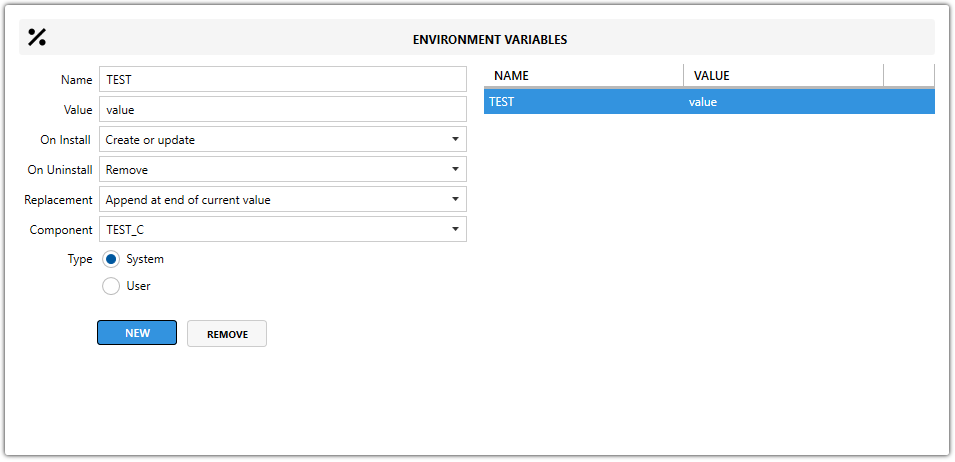
The Environment Variables view lists all environment variables in the MSI and lets you review, edit, or add them.
Fields
| Field | Description |
|---|---|
| Name | Sets the environment variable name. |
| Value | Sets the environment variable value. It can contain plain text or reference MSI properties such as [PROPERTY]. |
| Component | Defines which component installs the environment variable. |
| Type | Defines whether the environment variable is installed for all users or for a specific user. |
note
Every environment variable in an MSI must belong to a component.
Action on install
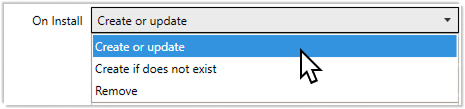
Choose what should happen to the environment variable during installation.
| Option | Description |
|---|---|
Create or Update | Adds a new environment variable or updates the value if it already exists. |
Create if does not exist | Adds the environment variable only if it is not already present on the system. |
Remove | Deletes the environment variable during installation. |
Action on uninstall
Choose what should happen during uninstallation.

| Option | Description |
|---|---|
Remove | Deletes the environment variable during uninstall. |
Leave | Keeps the environment variable unchanged during uninstall. |
Replacement behavior
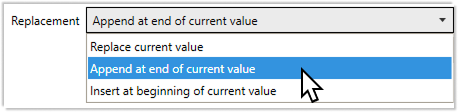
Choose how the environment variable should be modified during installation.
| Option | Description |
|---|---|
Append at end of current value (default) | Adds the new value to the end of the existing content. |
Replace current value | Overwrites the existing value completely. |
Insert at beginning of current value | Adds the new value to the start of the existing content. |
Variable type
| Option | Description |
|---|---|
System (default) | Installs the environment variable for all users. |
User | Installs the environment variable for a specific user. |