Features
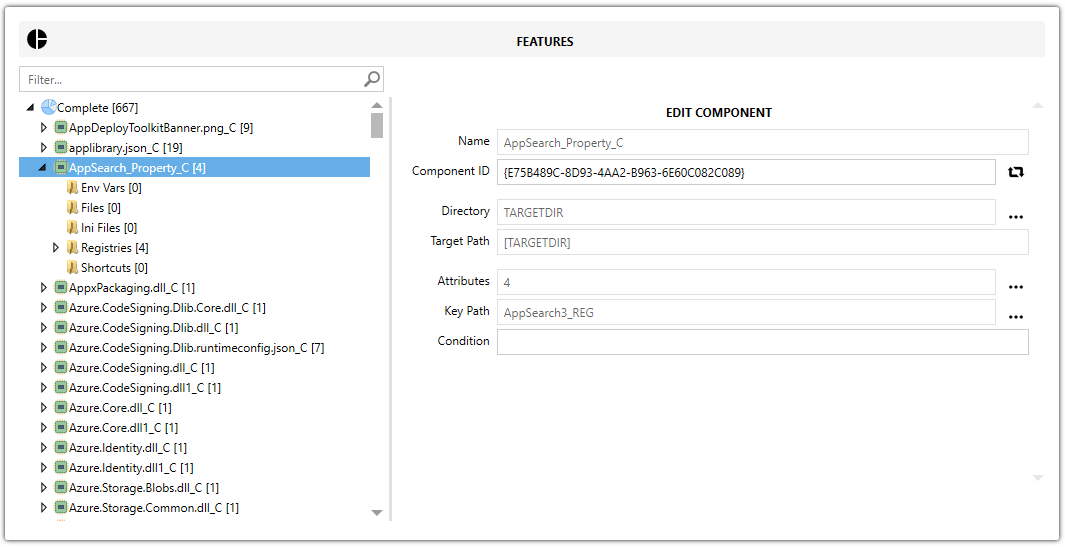
The Features view shows the MSI structure from Features to Components and the resources installed by each component.
Why use this view?
Use this view to understand where each item is stored and edit it without switching to the raw table editor.
tip
An MSI cannot install without at least one feature and one component. When you add files or registry entries, Master Packager always creates both.
Feature hierarchy
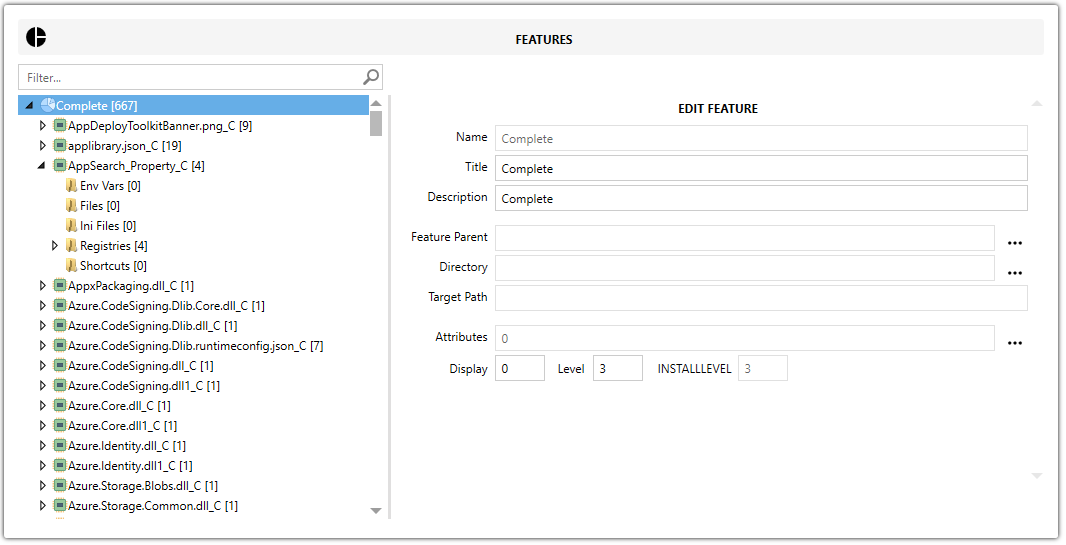
A Feature is a top-level item that can contain one or more components or child features. Use features to group functionality that can be enabled or disabled during installation.
Feature fields
| Field | Description |
|---|---|
| Feature Name | Sets the internal feature name. |
| Feature Title | Sets the feature title. |
| Feature Description | Describes the feature purpose. |
| Feature Parent | Defines parent-child relationships between features. |
| Feature Directory | Sets the default directory where the feature content is installed. |
| Feature Target Path | Shows the resolved installation path based on the selected directory. |
| Feature Attributes | Controls feature behavior flags, such as install state and whether to favor local installation or source. |
| Feature Display | Sets the feature display value. |
| Feature Level | Sets the feature level. |
| INSTALLLEVEL | Shows the MSI install level. |
Components
A Component belongs to a feature and can contain files, registries, shortcuts, environment variables, INI files, directories, and other items.
Component fields
| Field | Description |
|---|---|
| Component Name | Sets the component name. |
| Component Title | Sets the component ID. |
| Component Directory | Sets the directory where the component content is installed. |
| Component Target Path | Shows the resolved target path based on the selected directory. |
| Component Attributes | Sets the component attributes. |
| Component Key Path | Sets the component key resource. Windows Installer uses it to verify the installation and trigger repair if it is missing. |
| Component Conditions | Controls whether the component installs based on MSI properties or environment checks. |
Common item types
- Environment Variables — define system-wide or user-specific variables used by applications.
- Files — include executables,
DLLs, images, documents, configuration files, and other file types. - INI Files — store structured configuration data so you can update entries without replacing the full file.
- Registries — add or modify Windows registry keys and values.
- Shortcuts — create entries in the Start Menu, Desktop, or other folders.
Best practices
- Disabling a feature excludes all of its components from installation.
- Master Packager usually places all captured content under a single feature during repackaging for simplicity.
- Vendor
MSIs often use multiple features for selective installation. Preserve that structure when customizing them. - Define a key path for each component to support repair.
- Avoid deleting features or components without understanding their dependencies. Doing so can break the
MSIor trigger repair loops.