File Extensions
The File Extensions view shows the file extensions included in the MSI and lets you configure how Windows handles files installed by your application.
File extension information is stored in the Extension and Verb tables.
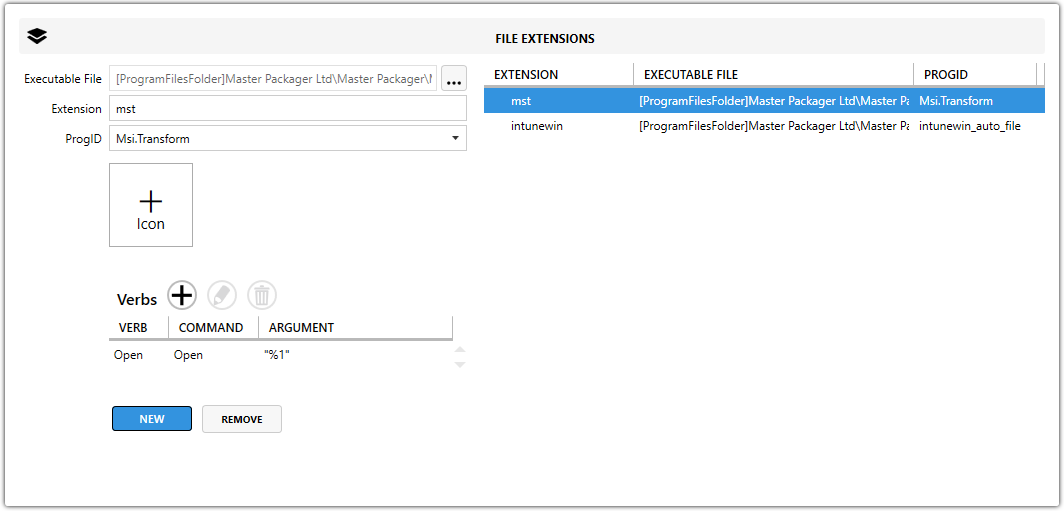
Fields
| Field | Description |
|---|---|
| Executable File | Specifies the path to the executable used to open the associated file extension. |
| Extension | Defines the file extension. |
| ProgID | Defines the Programmatic Identifier (ProgID) Windows uses to handle the file type. The ProgID links the extension to icons, descriptions, and available verbs. |
| Verb | Defines the action name, such as open, print, or edit. |
| Command | Specifies the executable that runs when the verb is invoked. |
| Argument | Specifies the command-line argument passed to the executable. |
Default action
One verb can be set as the default action. Windows uses that verb when the user double-clicks the file.