General Information
The General Information view contains the main identity and installation settings for an MSI package.
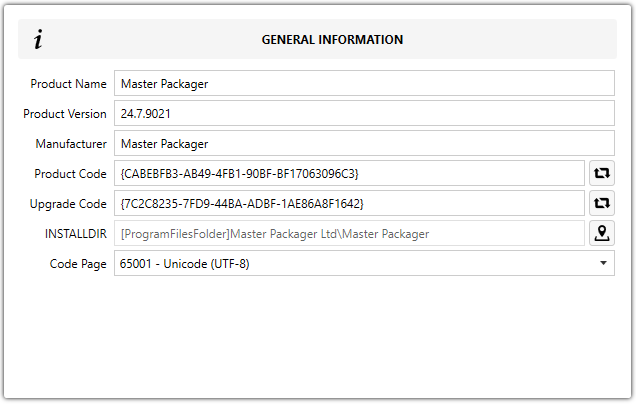
Fields
| Field | Description |
|---|---|
| Product Name | Defines the application name shown in Add/Remove Programs. |
| Product Version | Defines the application version shown in Add/Remove Programs. Use the major.minor.build format with numbers only. |
| Manufacturer | Defines the application vendor name shown in Add/Remove Programs. |
| Product Code | A unique GUID that identifies this specific MSI installation. The value is stored in the Property table. |
| Upgrade Code | A unique GUID that identifies the application product line across versions. |
| INSTALLDIR | Sets the default installation directory. This public MSI property can be overridden during installation to change the target path. |
| Code Page | Defines the character encoding used to store and interpret text strings in the MSI. |
tip
Each new MSI created in Master Packager gets a unique Package Code automatically. Every installation must also have its own unique Product Code. Press the ?? button to generate a new GUID.
warning
When upgrading a previous version of the application, keep the Upgrade Code the same as in the earlier MSI versions.
tip
Avoid changing INSTALLDIR unless the application currently installs to a root location. If possible, move it under Program Files instead.