Install Execute Sequence
The Install Execute Sequence view shows the actions that run during MSI installation, uninstallation, or repair and the exact order in which they run.
This view represents the InstallExecuteSequence table and includes both standard Windows Installer actions and any custom actions you create.
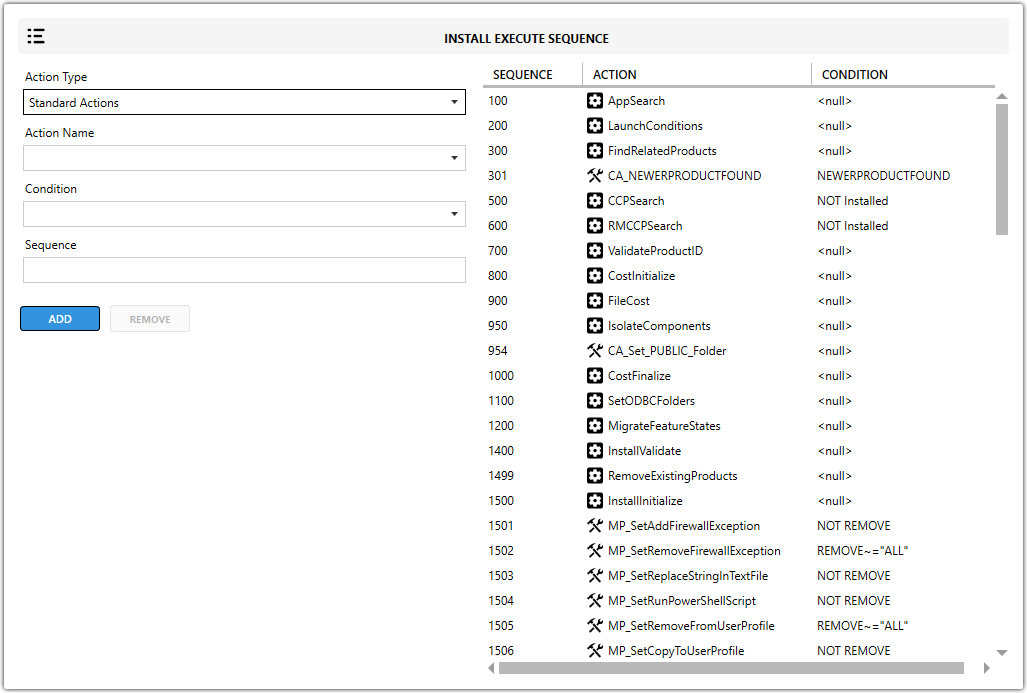
Fields
| Field | Description |
|---|---|
| Action Type | Defines whether the action is standard or custom. |
| Action Name | Specifies the action name. |
| Condition | Sets the rules that control when the action runs. Common conditions include install, uninstall, repair, x64 OS, x86 OS, Windows 10, and Windows 11. |
| Sequence | Defines the execution order. Lower numbers run earlier, and higher numbers run later. Schedule custom actions after InstallInitialize and before InstallFinalize when appropriate. |
tip
Check where each custom action fits in the sequence so it runs at the right time and does not interfere with standard MSI actions.