Append or Prepend Text Line in File
Use this predefined action to add one or more text lines to the beginning or end of a file during installation.
A common use case is updating C:\Windows\System32\drivers\etc\services to add custom ports for an application.
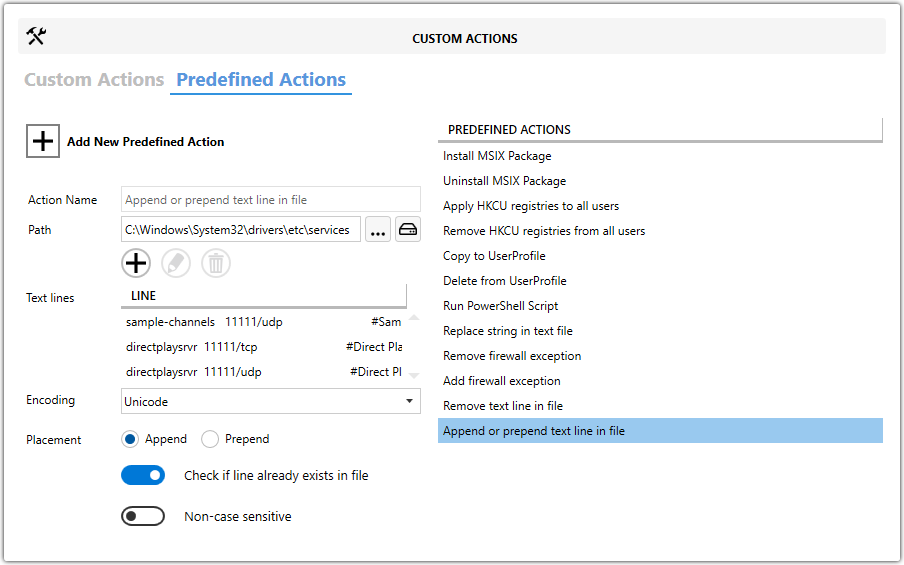
Main Fields
| Field | Description |
|---|---|
| Action Name | Identifies the predefined action when the project contains multiple custom actions. |
| Path | Specifies the full path to the file that will be updated. |
| Placement | Chooses Append to add lines at the end of the file or Prepend to insert them at the beginning. |
| Check if line already exists in file | Prevents duplicate lines from being added. |
| Non-case sensitive | Ignores letter case when checking whether a line already exists. |
Text Lines
The Text lines list contains the exact lines that will be written to the file.
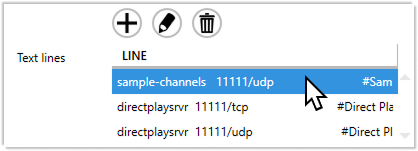
Manage Text Lines
Use the toolbar to add, edit, or remove lines.

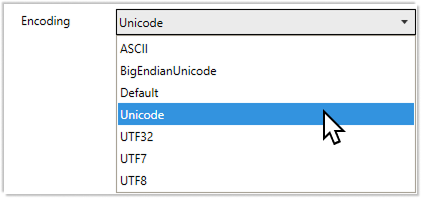
Encoding
Choose the correct encoding, such as UTF-8 or ANSI, so the updated file keeps the expected character set.
Steps
- Open the
MSIorMSTin Master Packager. - In the left pane, select Custom Actions.
- Open the Predefined Actions tab.
- Click Add New Predefined Action and select Append or Prepend Text Line in File.
- Enter a value in Action Name.
- Set Path to the file that should be updated.
- Add the required entries under Text lines.
- Choose the appropriate Encoding.
- Select Placement.
- Optionally enable Check if line already exists in file and Non-case sensitive.