Install and Uninstall Drivers
Use this predefined action to install or uninstall drivers silently in the background.
During installation, it can automatically extract and import the certificate from the driver file.
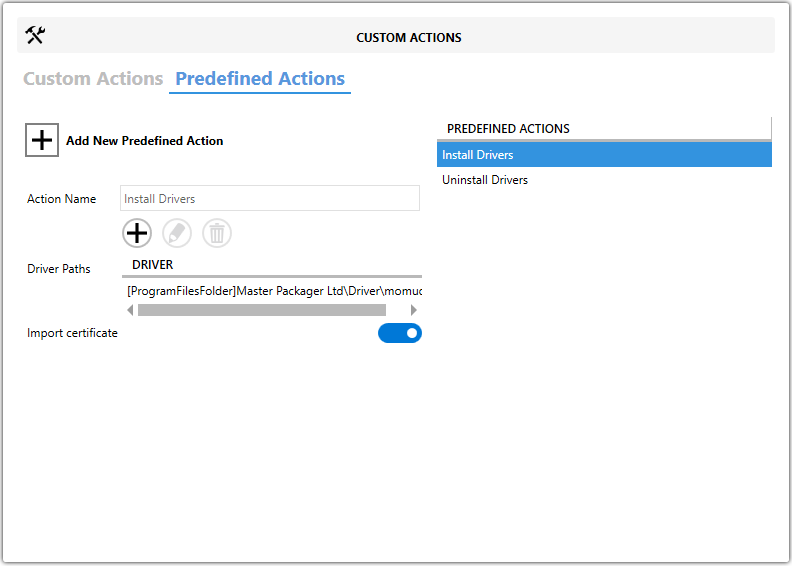
Fields
| Field | Description |
|---|---|
| Driver Paths | Specifies the path to the .inf driver file. |
| Import certificate | Enables certificate import during driver installation. |
Steps
- Open the
MSIorMSTin Master Packager. - Go to Custom Actions > Predefined Actions.
- Click Add New Predefined Action.
- Select Install Drivers or Uninstall Drivers.
- Set Driver Paths to the required
.inffile. - Enable or disable Import certificate as needed.
tip
Use the path to the driver .inf file, not the .sys or .cat file.