Register DLL
Use this predefined action to register DLL files during installation with regsvr32.exe /s. If you configure it for uninstall, Master Packager uses regsvr32.exe /s /u to unregister the same files.
note
Master Packager Pro feature.
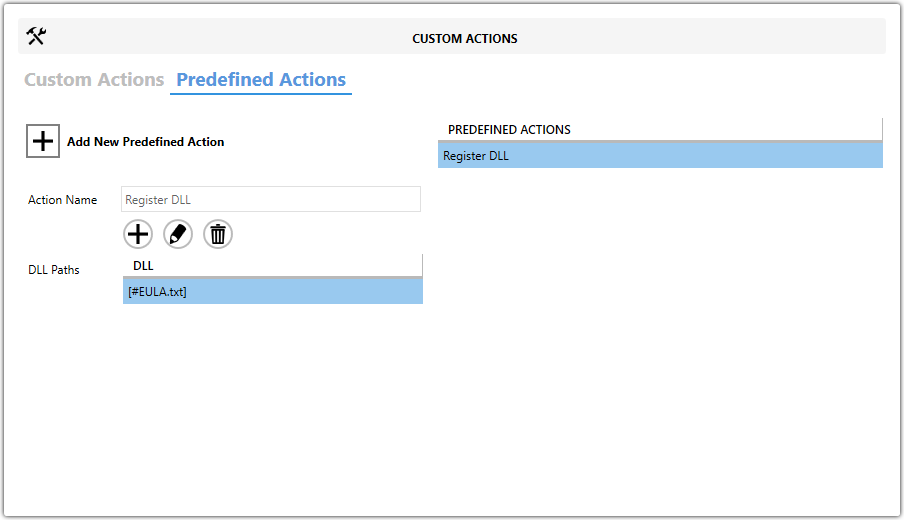
Fields
| Field | Description |
|---|---|
| Action Name | Identifies the predefined action in your project. |
| DLL Paths | Lists the DLL files that will be registered during installation. |
Manage DLL Entries
Use the toolbar above DLL Paths to maintain the list of files.
Add DLL References
Click the plus button to add DLL references.
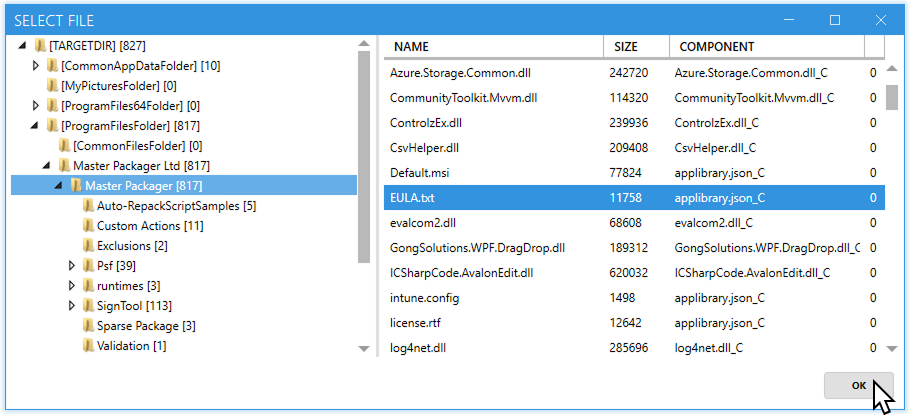
Edit Selected Entries
Click the pencil button to edit the selected entry.
Remove DLL References
Click the trash button to remove the selected DLL reference.
Steps
- Open the
MSIorMSTin Master Packager. - In the left pane, select Custom Actions.
- Open the Predefined Actions tab.
- Click Add New Predefined Action and select Register DLL.
- Enter a value in Action Name.
- Use the toolbar in DLL Paths to add the
DLLfiles that should be registered. - If needed, configure the action to unregister the same files during uninstall.