Property
The Property view shows all MSI properties available in the package.
Properties are name-value pairs that control installation behavior, drive conditions, and pass information between installation phases or UI dialogs.
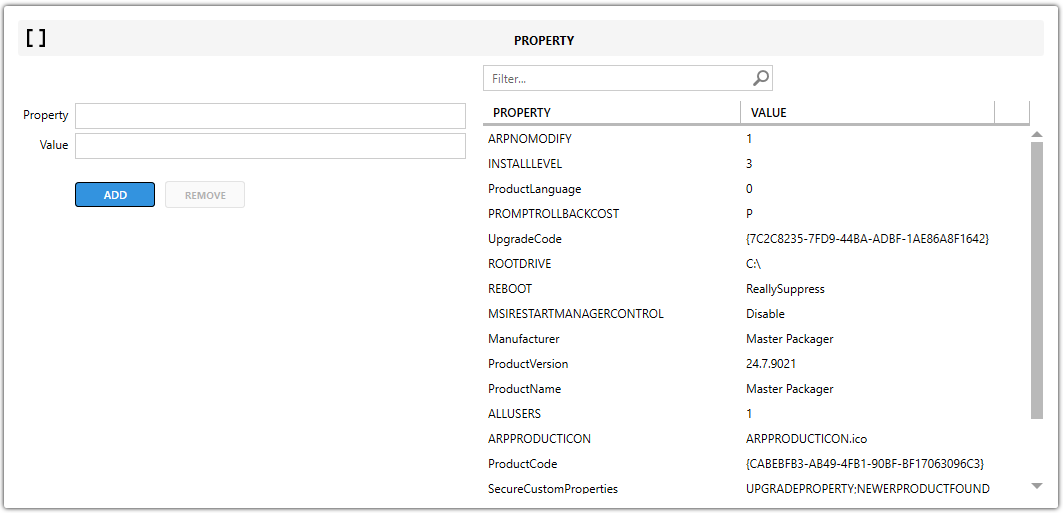
Property fields
| Field | Description |
|---|---|
| Property | Specifies the property name. |
| Value | Sets the value assigned to the property. |
Public and private properties
All property definitions are stored in the Property table.
| Type | Example | Description |
|---|---|---|
| Public Property | INSTALLDIR | Uses uppercase letters and can be passed through the command line or installer UI. |
| Private Property | myProperty | Uses lowercase or mixed case and stays internal to the MSI. |
tip
You can add standard MSI properties or create custom properties.
Common uses
- Custom Actions — pass property values to custom actions for dynamic configuration during installation.
- Conditions — control whether features, components, or sequence actions run. For example, you can install a feature only on Windows
10. - Command-line usage — set public properties from the command line by using uppercase property names.