Build / Extract CAB from Media Table
This feature lets you create or extract cabinet (.cab) files from the Media table in an MSI. Use it when you need to inspect, update, or rebuild packaged file content.
Available actions
- Build CAB — Generate a new cabinet file from the files defined in the
MSI. - Extract CAB — Unpack a cabinet file referenced in the
Mediatable. - Extract All CABs — Unpack every cabinet file in the
MSIat once. - Build All CABs — Rebuild every cabinet file in the
MSIfrom the extracted source files. - Clean Database — Delete the embedded
CABfiles from the_Streamstable so the old files are removed from theMSIbefore you rebuild.
Common use cases
- Add new files to the package.
- Replace existing files.
- Update file versions.
- Inspect or recover files for troubleshooting or reuse.
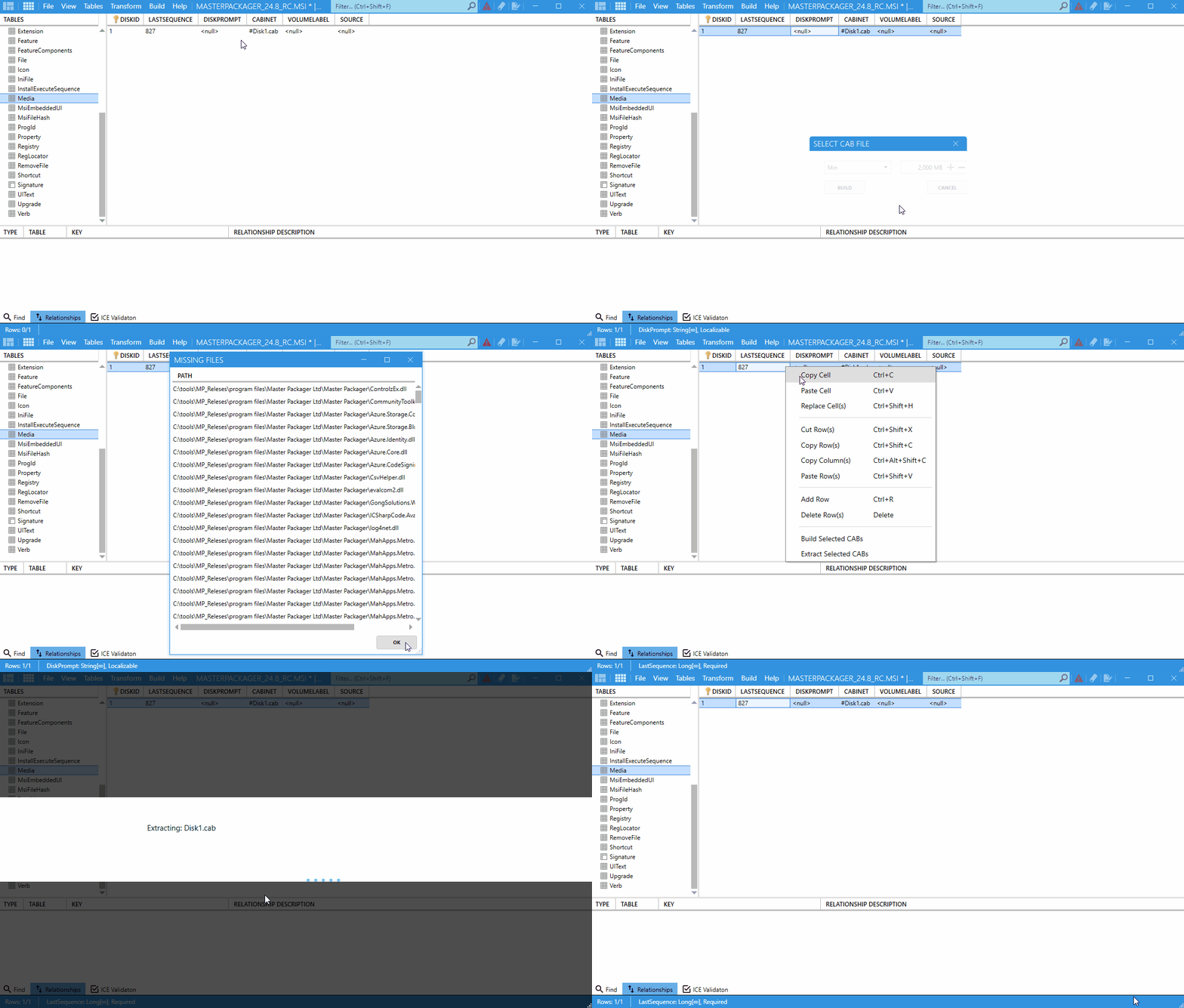
How to extract a CAB
- Open your
MSIorMSTfile in Master Packager. - Go to the
Mediatable. - Locate the
CABentry. - Right-click the entry and select Extract CAB.
How to update files in your MSI
- Open your
MSIin Master Packager. - Go to the Build menu and select Extract All CABs.
- Browse the extracted folders next to the
MSIand replace the files with their new versions. - Go to the Build menu and select Clean Database to delete the old embedded
CABfiles from the_Streamstable. - Go to the Build menu and select Build All CABs to package the updated files.
- Save the
MSI.