Cascade Deletion
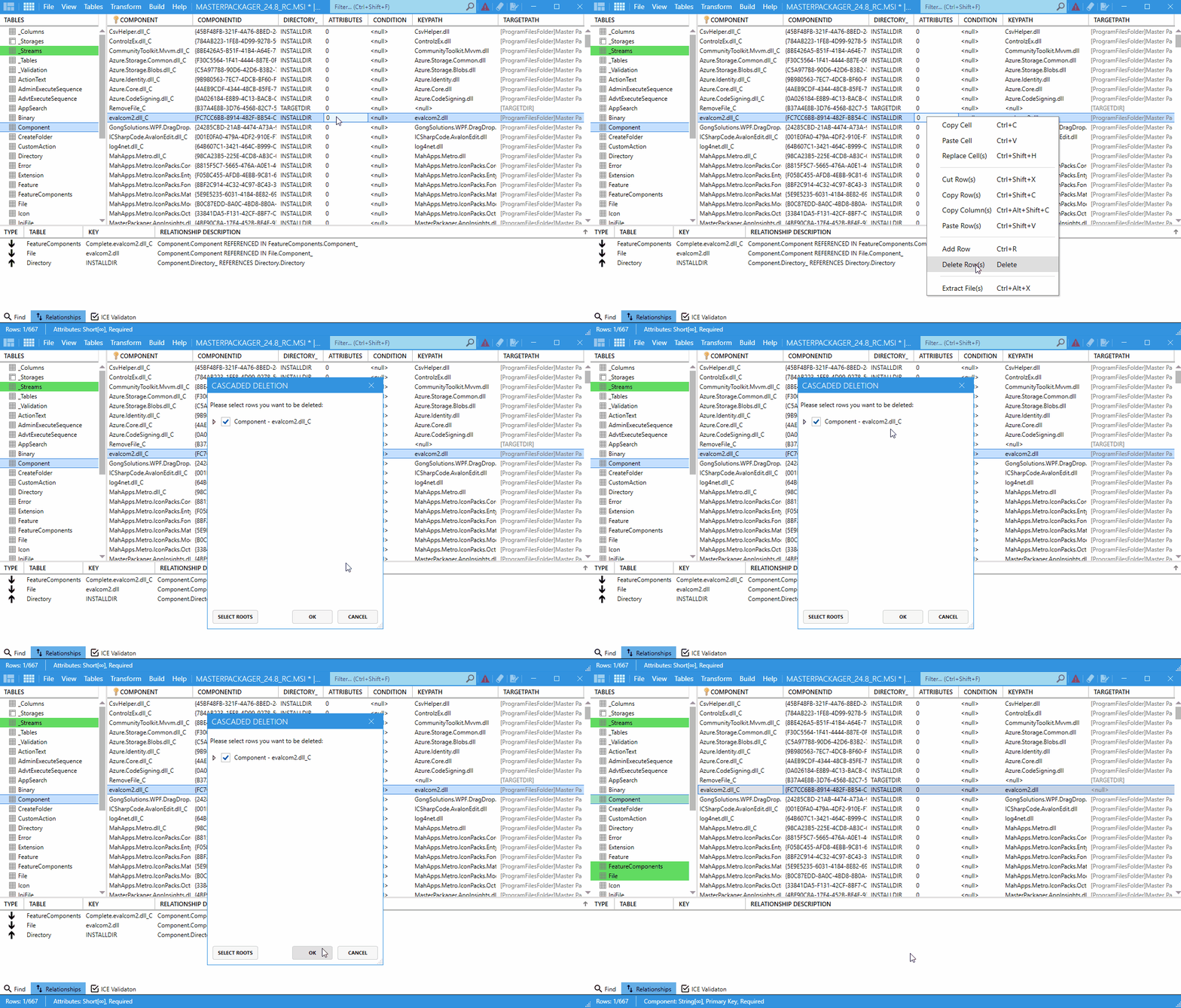
When you delete a row that is linked to other rows in MSI tables, Master Packager opens the Cascade Deletion window. This preview shows every related row that will also be deleted, so you can review the impact before you confirm the change.
How to use it
- Open your
MSIorMSTfile in Master Packager. - Select the row you want to delete, such as a component, file, or registry entry.
- Press Delete.
- If the row has dependencies, review the Cascade Deletion window.
- Confirm or cancel the deletion.
When to use it
Use cascade deletion when you need to:
- Remove linked data without leaving orphaned rows behind.
- Review the effect of deleting components, files, directories, or registry entries.
- Keep repair and uninstall behavior consistent after table changes.
Benefits
- Prevents accidental database corruption by exposing dependencies.
- Shows relational links before you commit the change.
- Improves the reliability of modified or repackaged installers.