Clean Database Function
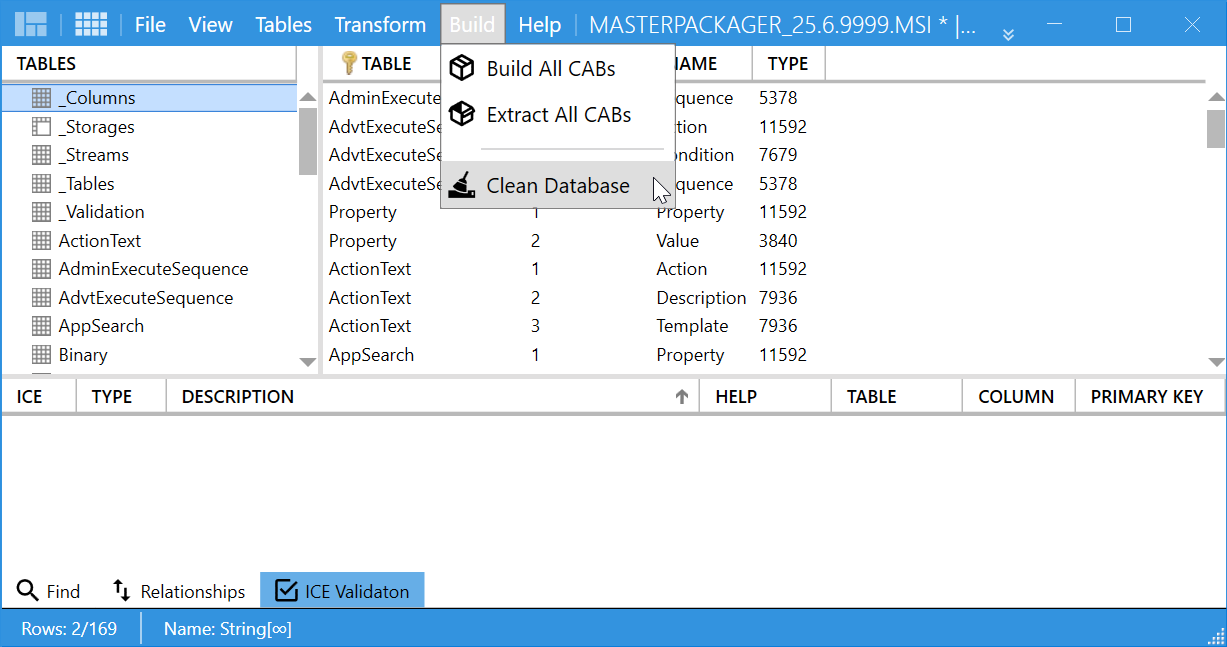
The Clean Database function removes built-in CAB files from an MSI and reduces file size. It is useful after repeated builds or when temporary embedded data accumulates inside the database.
What it does
- Removes internal
CABdata while preserving tables and relationships. - Reduces
MSIsize by cleaning outdated embedded cabinet content. - Leaves the database ready for a new Build CAB Files operation.
How to use it
- Open your
MSIin Master Packager. - Go to the Build menu.
- Select Clean Database and confirm.
- Save the
MSIafter the embeddedCABdata is removed.
When to use it
Use this function when you need to:
- Reduce
MSIsize after multiple build operations. - Rebuild
CABfiles with updated application files. - Share or archive a lighter version of the
MSIwithout embedded installation data.
tip
Use Clean Database before finalizing or distributing a package so it contains only current data.