Response Transform
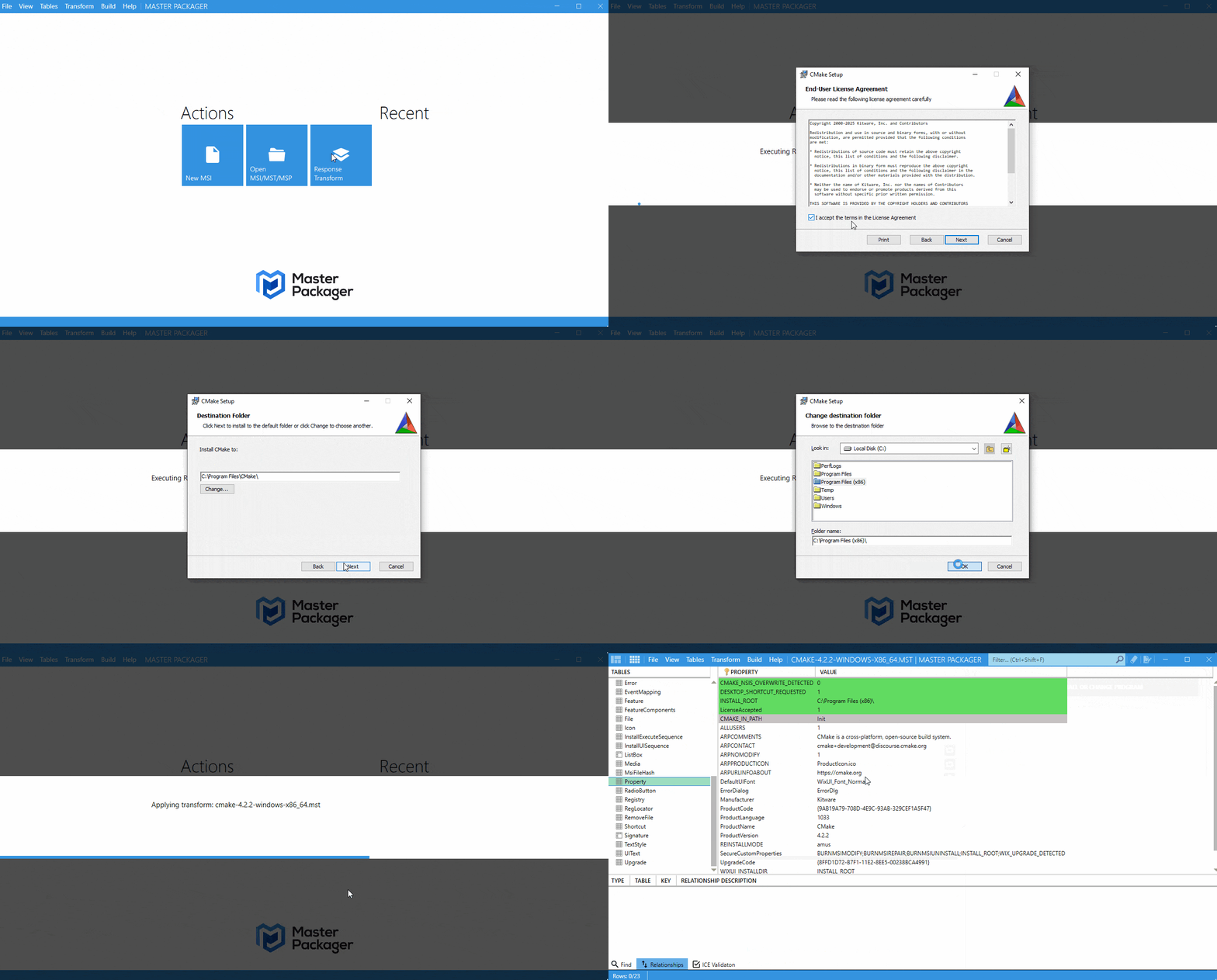
The Response Transform feature generates an MST by walking through an MSI installer and capturing the dialog changes you make.
How to use it
- Open Master Packager and select Response Transform on the main screen.
- Choose the
MSIyou want to work with. - Click Next to launch the installer.
- Go through the installer and make the changes you want to capture.
- Finish the installation.
- Review the captured changes in the table view.
- Click Save MST to generate the transform.