Find and Replace
Find and Replace helps you locate and optionally replace text across MSI tables. Use it to update values, correct mistakes, or inspect package contents quickly.
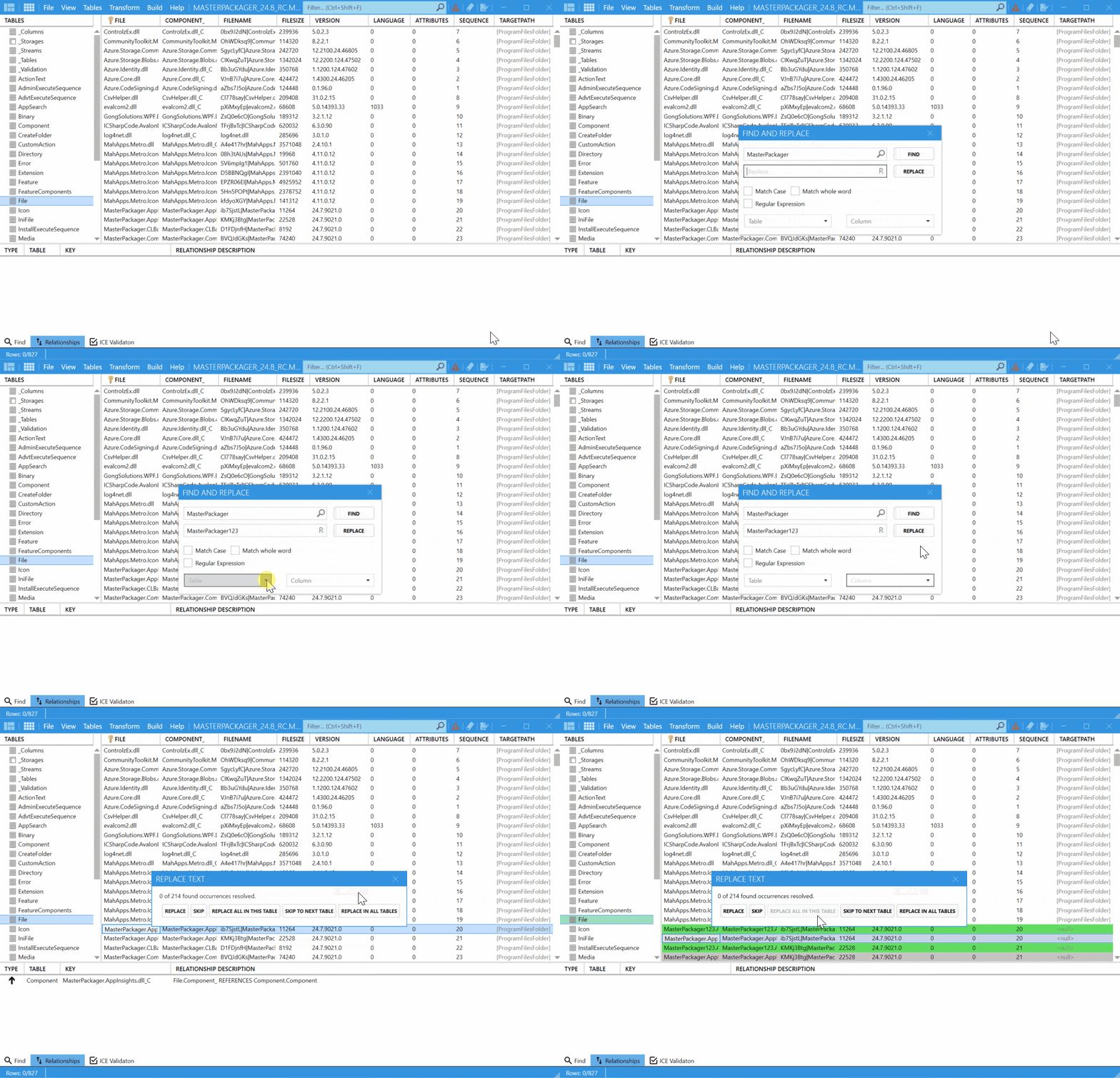
Search options
| Option | Description |
|---|---|
Find and Replace | Change values directly from the search results. |
Match Case | Respect uppercase and lowercase differences. |
Match Whole Word | Match complete words instead of partial strings. |
Regular Expression | Use pattern matching for advanced searches. |
Table selection | Limit the search to a specific table. |
Column selection | Limit the search to a specific column. |
How to use it
- Open your
MSIorMSTfile in Master Packager. - Open Find and Replace from the Table Editor.
- Enter the text you want to find.
- Choose any search options you need.
- Optionally enter replacement text and apply the change.
- Review the results before saving the package.
