Load / Save Binaries
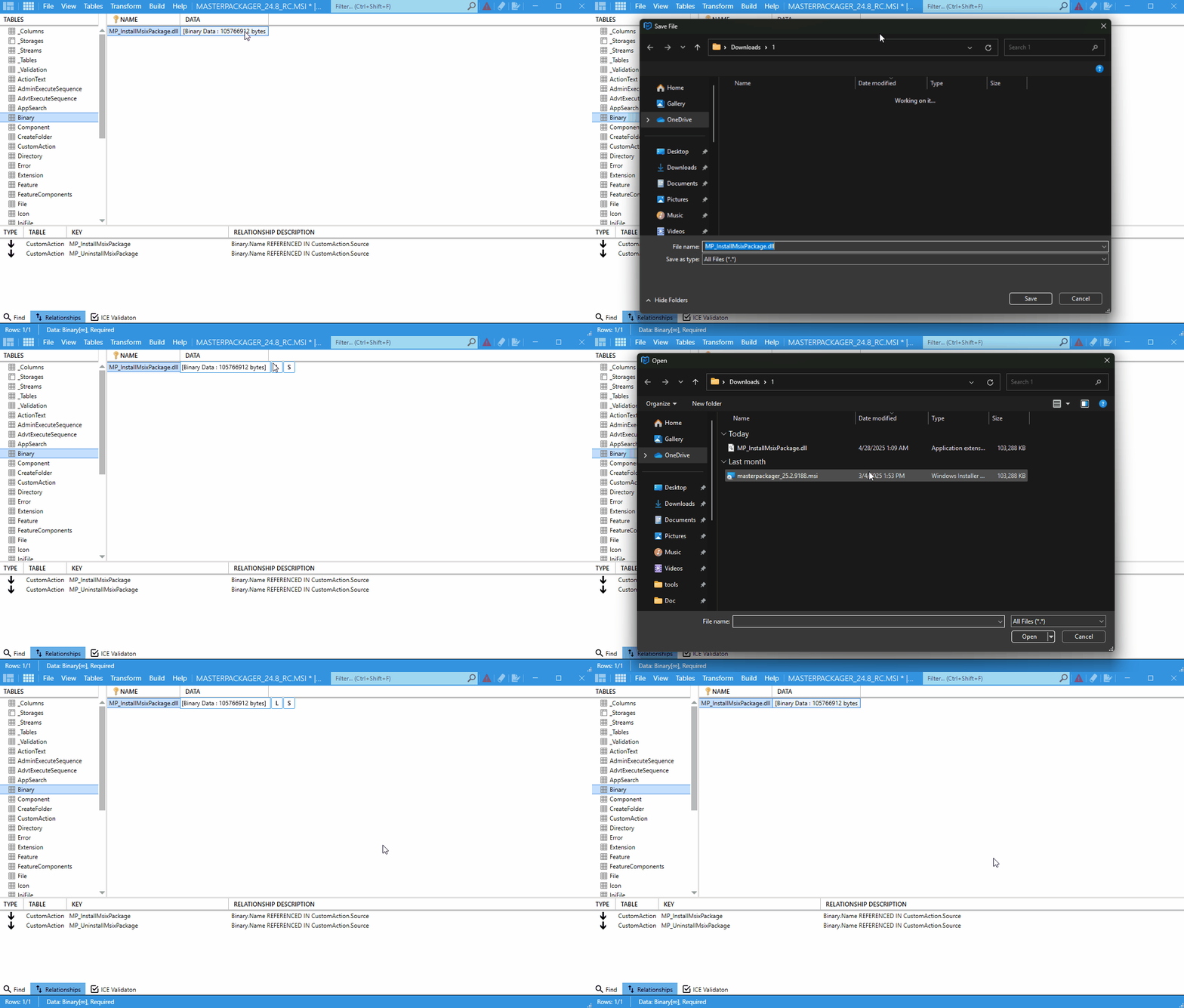
The Load / Save Binaries feature lets you work directly with binary data stored in MSI tables such as Binary and Icon. Use it to add, extract, or replace embedded files without leaving Master Packager.
Supported content
This feature works with many binary types, including:
EXEandDLLfiles.- Icons.
- Scripts such as
VBScriptandJScript. - Images.
- Other custom binary data.
Actions and shortcuts
| Action | Description | Shortcut |
|---|---|---|
| Load a binary | Insert a file into a binary cell. | Ctrl + V |
| Save a binary | Extract a file from a binary cell for editing or reuse. | Ctrl + C |
How to use it
- Open your
MSIorMSTfile in Master Packager. - Go to a table that contains binary data, such as
BinaryorIcon. - To load a binary, double-click the cell and choose a file, or press
Ctrl + V. - To save a binary, double-click the cell and save the content, or press
Ctrl + C.
tip
Use the copy and paste shortcuts when updating multiple binaries across similar packages.