MSI Validation, Warning/Error Sorting on Top
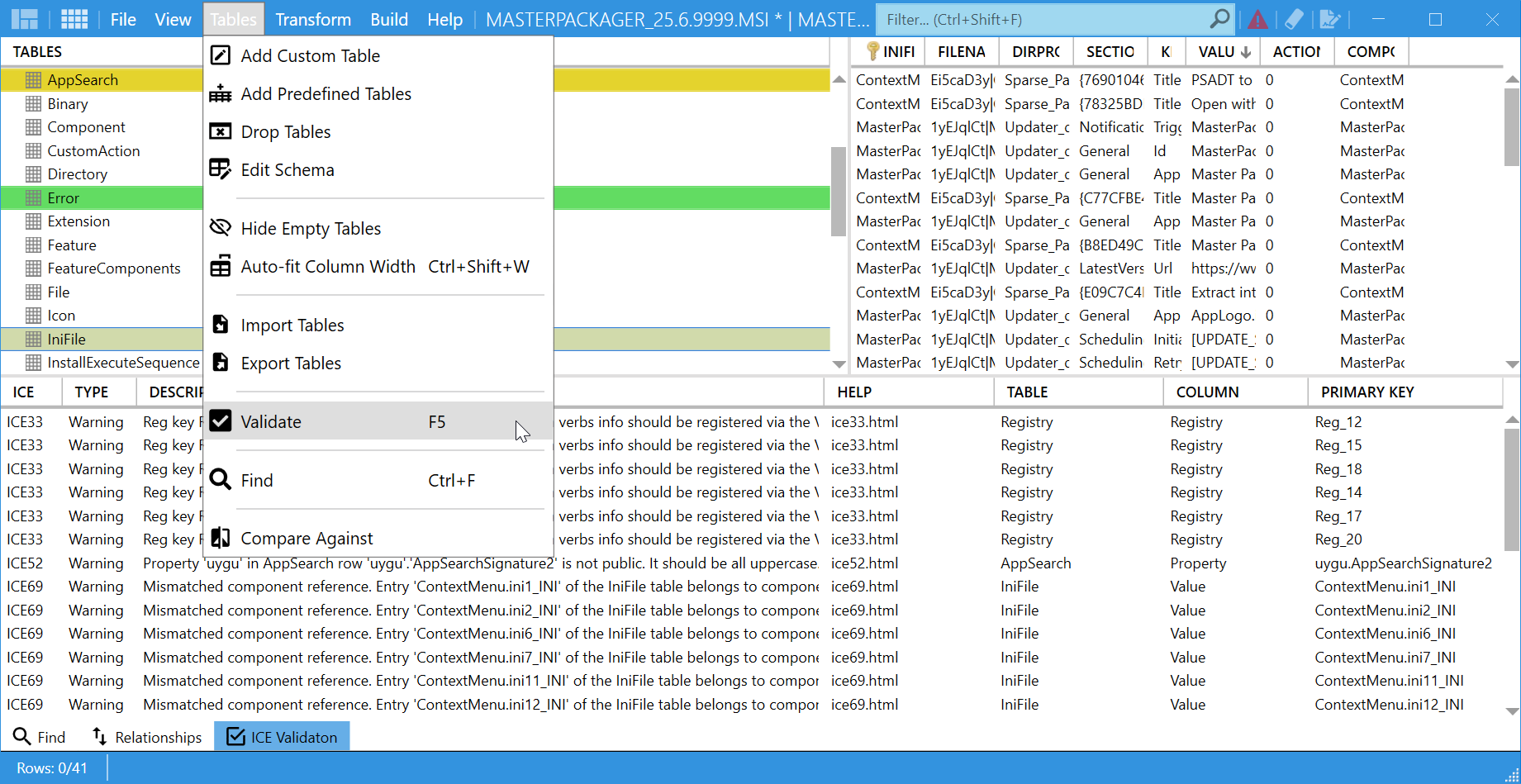
The MSI Validation feature checks the internal consistency of an MSI or MST. When validation finds many results, Master Packager places warnings and errors at the top of the list so you can review the most important items first.
Validation is an important step before testing or release because it helps catch issues that can affect installation, uninstallation, or runtime behavior.
How to use it
- Open your
MSIorMSTin Master Packager. - On the Tables menu, select
Validate, or pressF5. - Review the results shown at the bottom of the window.
- Resolve the warnings and errors that are sorted to the top before building or deploying the package.
Result fields
| Field | Description |
|---|---|
ICE code | Shows the ICE rule that reported the issue. |
Type | Shows whether the result is a Warning or Error. |
Description | Explains the reported issue. |
Table, Column, and Primary Key | Show where the problem occurs in the database. |
When to use it
Use this feature when you need to:
- Review many warnings or errors quickly.
- Check
MSIorMSTintegrity before deployment. - Troubleshoot complex installers with many components or dependencies.
tip
Run validation regularly during packaging so critical issues are easier to catch before testing or release.