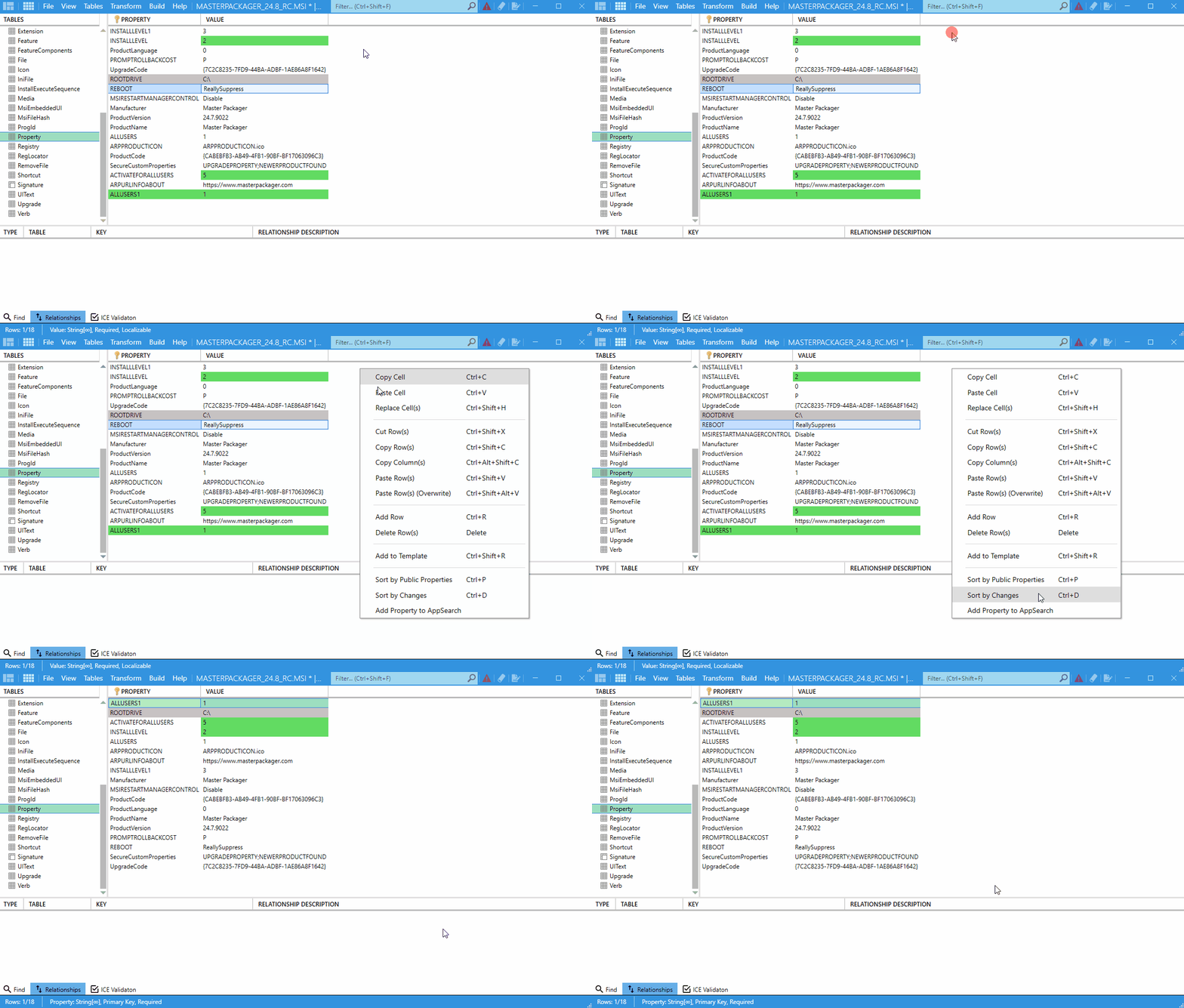
Sort Modified Cells to the Top of the Table
This feature moves modified rows to the top of the current MSI or MST table so you can review changes without scanning the entire grid.
What it does
- Highlights modified cells for visibility.
- Moves rows with changes to the top of the current table view.
- Works in both
MSIandMSTediting modes.
How to use it
- Open the
MSIorMSTin Master Packager. - Make or review your table changes.
- Press
Ctrl + D, or right-click the table and choose the sorting action from the context menu. - Review the changed rows at the top of the table.