Table Relationship Tracing
Use the Relationships tab at the bottom of the Table Editor to trace links between tables.
When a row references another table, double-clicking the cell opens the related table and highlights the matching row and column.
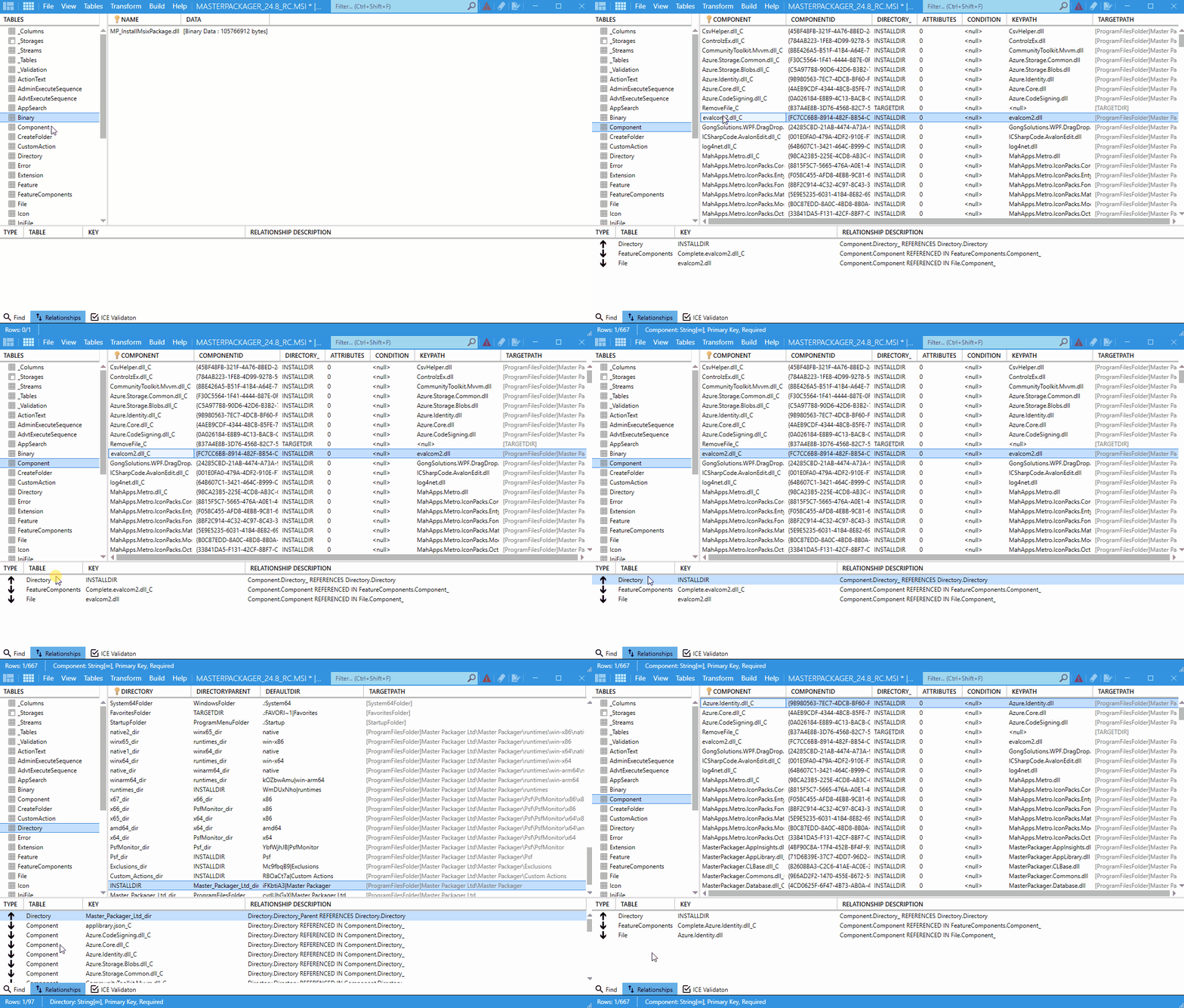
How to use it
- Open your
MSIorMSTfile in Master Packager. - Go to the Table Editor.
- Select a table from the left pane.
- Open the Relationships tab at the bottom of the interface.
- Click a row that contains a reference to another table.
- Double-click the referencing cell.
- Review the related table, row, and column that Master Packager highlights.
What it helps with
- Shows how tables are linked.
- Helps you navigate complex
MSIdatabase structures. - Simplifies troubleshooting of foreign-key relationships.
tip
This is especially useful when you edit tables such as FeatureComponents, CustomAction, or InstallExecuteSequence.