Track Changes in MSI and MST
Master Packager highlights changes in MSI and MST files so you can review edits before saving or building the package.
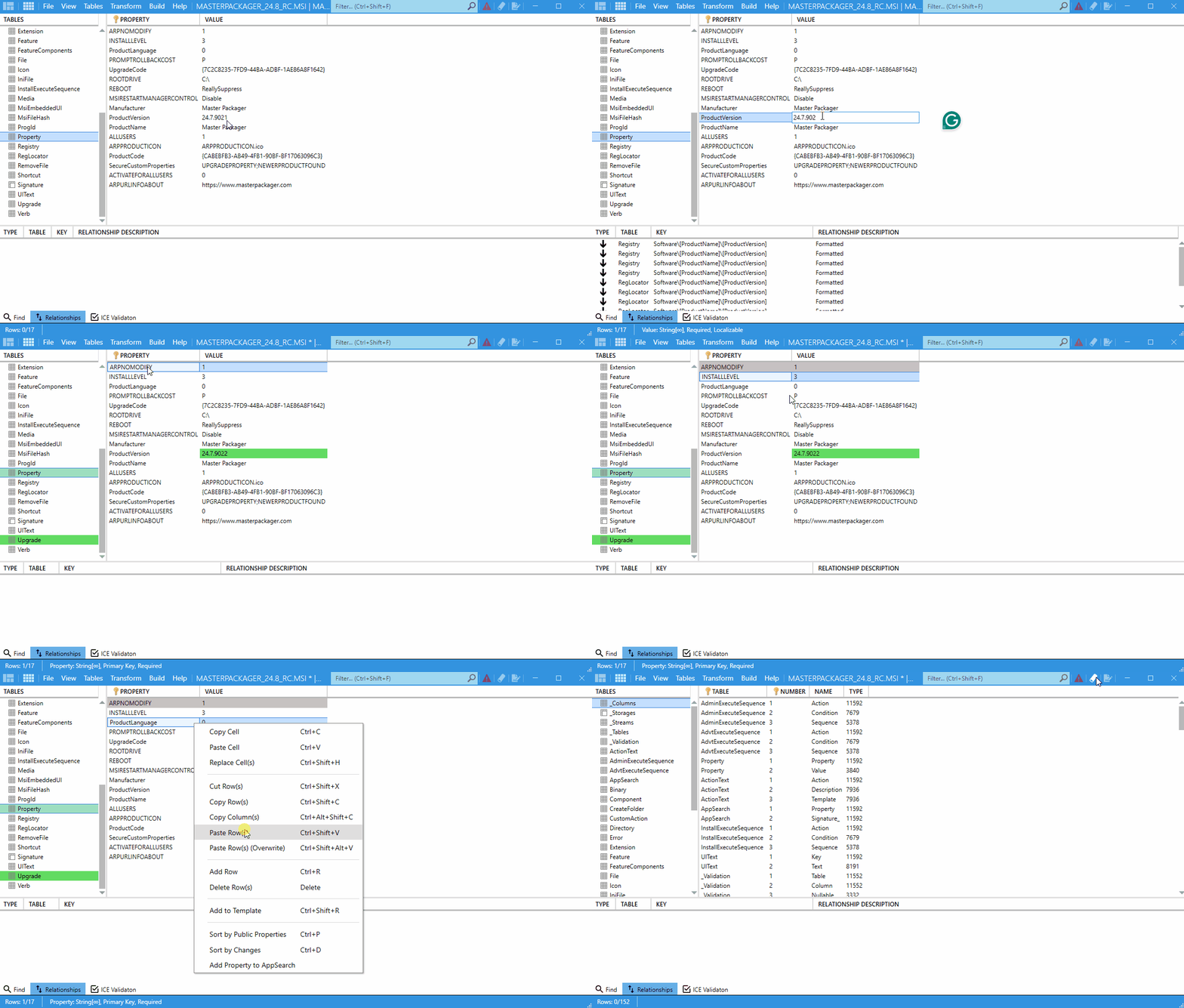
Highlight colors
| Highlight | Meaning |
|---|---|
Green | Added or changed values or rows. |
Grey | Deleted values or rows. |
How highlighting behaves
- Changes remain visible throughout the current session.
- If many changes are present, the table can become harder to scan.
- Closing and reopening the file resets all cell and row coloring.
Clear the highlighting
- Click Clean in the top-right menu.
- Review the table without the color indicators.
tip
For large projects with many changes, use Clean periodically to keep the view readable.