VBS / JScript Editor
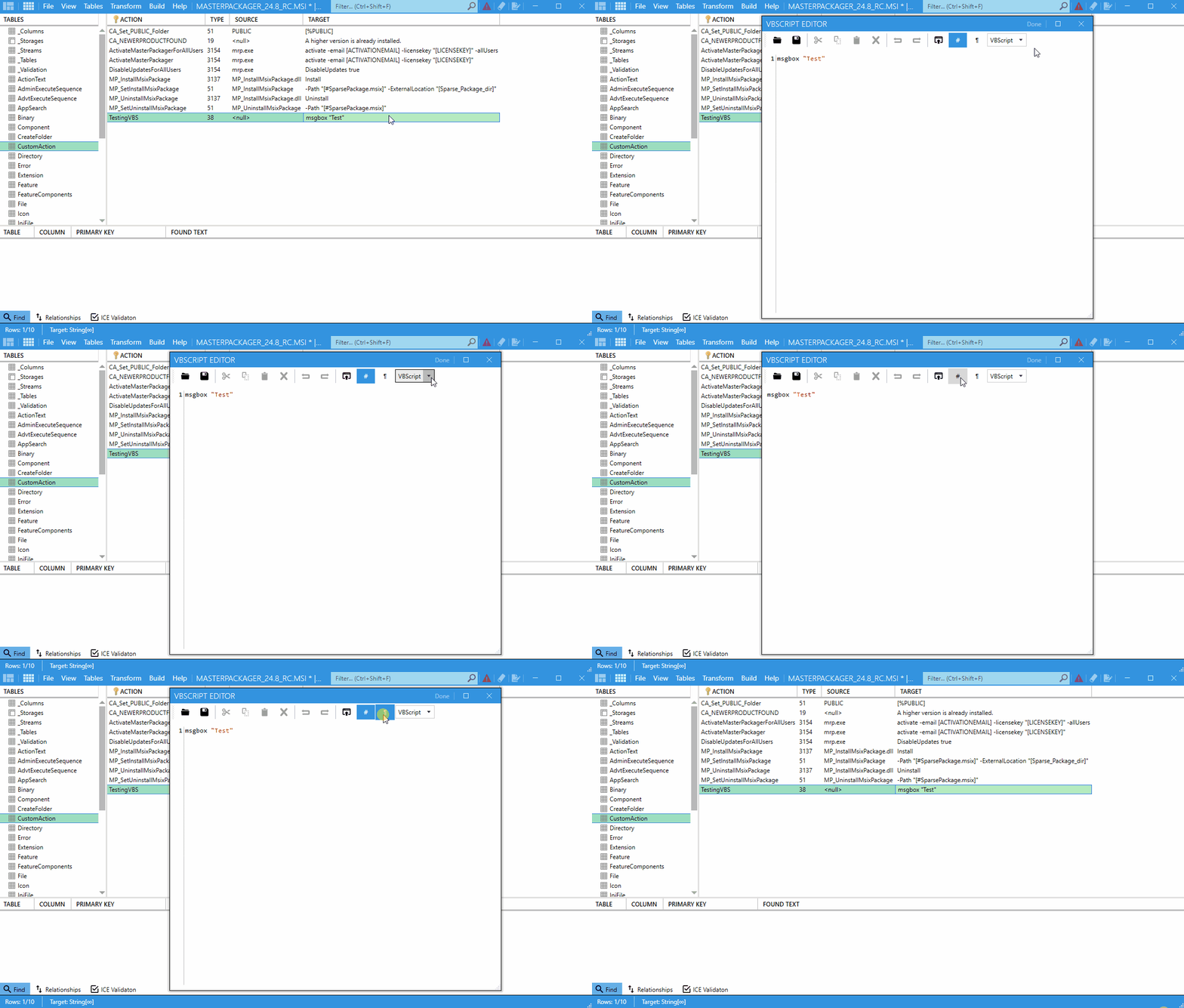
The VBS / JScript Editor lets you write and test scripts inside an MSI without leaving Master Packager. Use it when you need scripted custom actions or embedded script resources.
Where to access it
- Binary table — Store and edit embedded script files.
- CustomAction table — Create and maintain scripted custom actions.
When to use it
Use this editor when you need to:
- Write custom logic for installation, configuration, or cleanup.
- Test scripts without switching to another tool.
- Embed scripts in
MSItables for custom actions. - Avoid maintaining separate script files.
How to use it
- Open your
MSIorMSTfile in Master Packager. - Go to the
Binarytable orCustomActiontable, depending on where you want to store the script. - Create a new script or edit an existing one.
- Choose a scripting language:
VBScript (VBS)JScript
- Write the script in the editor.
- Use the built-in test feature to run the script and verify its behavior before saving.
- Save the script to embed it in the package.
tip
Test scripts carefully. Errors in custom scripts can cause MSI installations to fail.