Configuration
The Configuration section controls how PSAppDeployToolkit behaves in Master Wrapper. These settings cover branding, logging, MSI execution, UI behavior, and toolkit paths.
All values are stored in config.psd1.
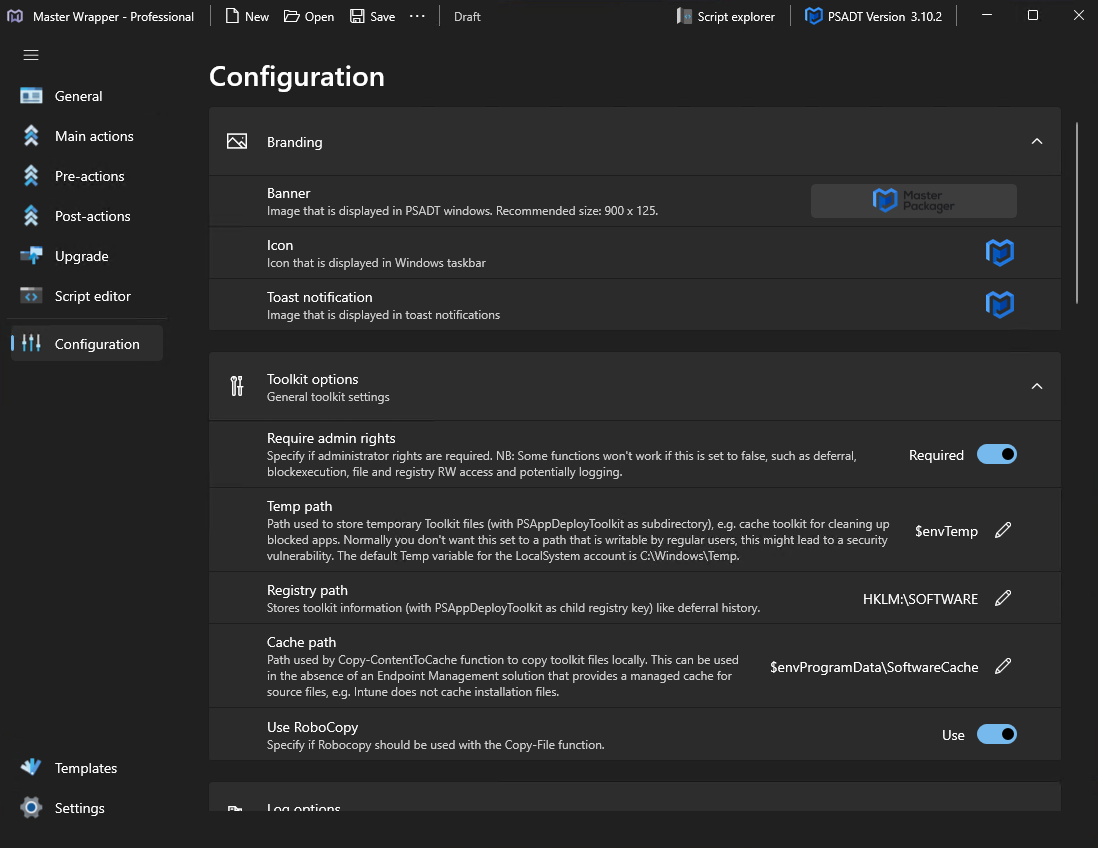
Branding
Use branding settings to control the visual appearance of PSADT dialogs and notifications.
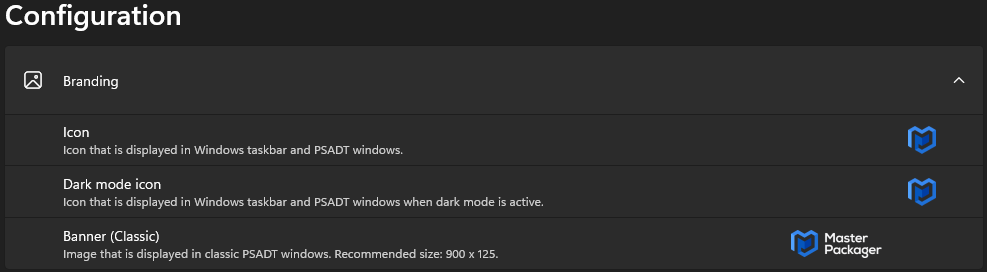
| Setting | Description |
|---|---|
| Icon | Icon shown in the Windows taskbar and PSADT windows. |
| Dark mode icon | Icon shown when dark mode is active. |
| Banner (Classic) | Image shown in classic PSADT windows. The recommended size is 900×125. |
Toolkit Options
Toolkit options define how temporary files, registry information, and cached content are handled.
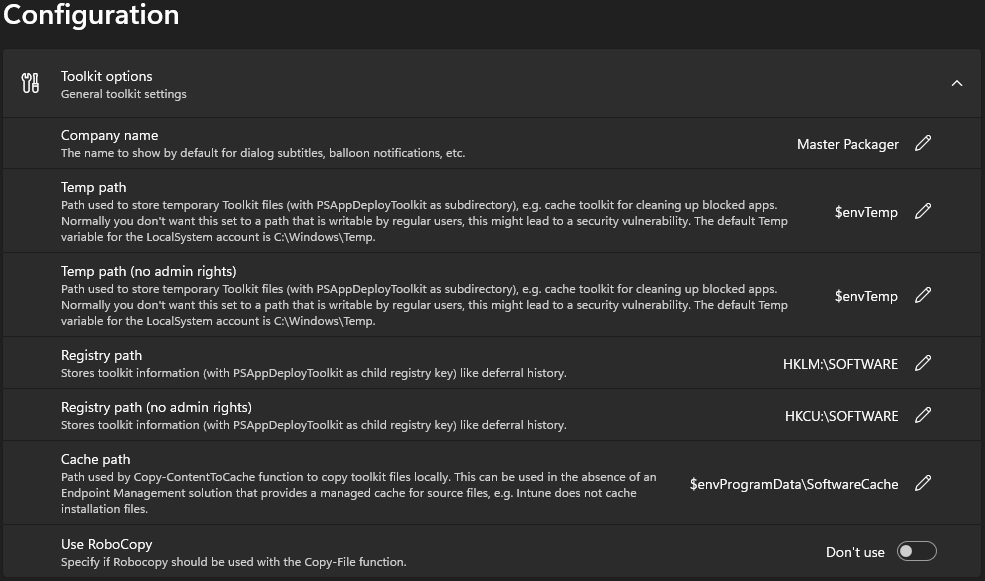
| Setting | Description |
|---|---|
| Company name | Name shown in dialog subtitles and balloon notifications. |
| Temp path | Path used to store temporary toolkit files. |
| Temp path (no admin rights) | Temporary path used when running without administrative rights. |
| Registry path | Registry path where toolkit information is stored. |
| Registry path (no admin rights) | Registry path used when running without administrative rights. |
| Cache path | Path used to copy content locally with Copy-ContentToCache. |
| Use RoboCopy | Defines whether RoboCopy is used with the Copy-File function. |
Log Options
Log options control how deployment logs are written and retained.
In addition to standard toolkit log paths, Master Wrapper lets you define a preferred Intune log location.
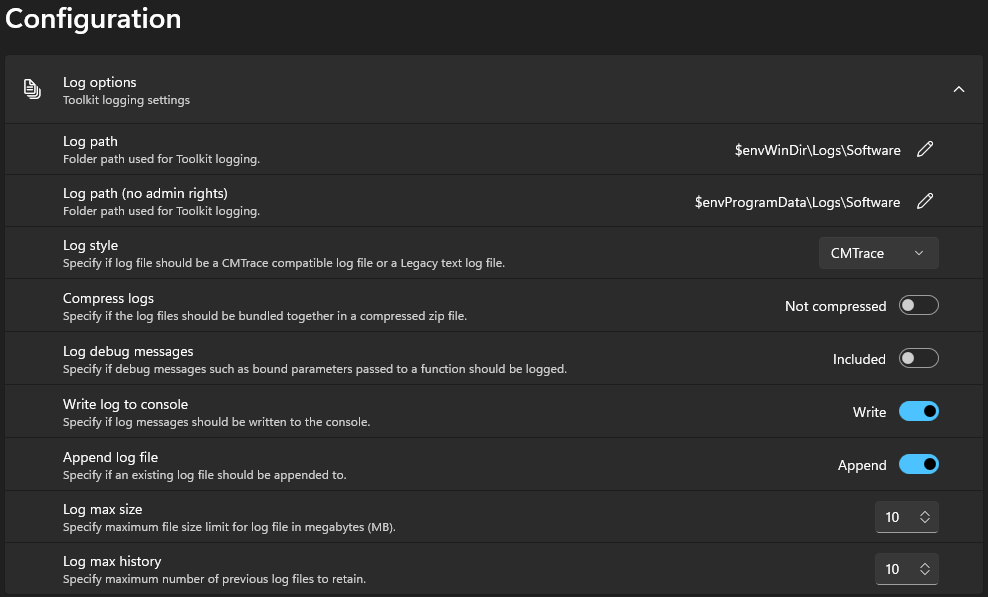
| Setting | Description |
|---|---|
| Log path | Folder used for toolkit logs, including an Intune-specific log location when configured. |
| Log path (no admin rights) | Folder used when the toolkit runs without administrative rights. |
| Log style | Log format, such as CMTrace-compatible or legacy text. |
| Compress logs | Enables or disables log compression into a .zip file. |
| Log debug messages | Includes or excludes debug messages in the log. |
| Write log to console | Writes log messages to the console. |
| Append log file | Appends to an existing log file instead of creating a new one. |
| Log max size | Maximum size of a single log file in MB. |
| Log max history | Number of previous log files to keep. |
MSI Options
MSI options define how Windows Installer packages are executed and logged.
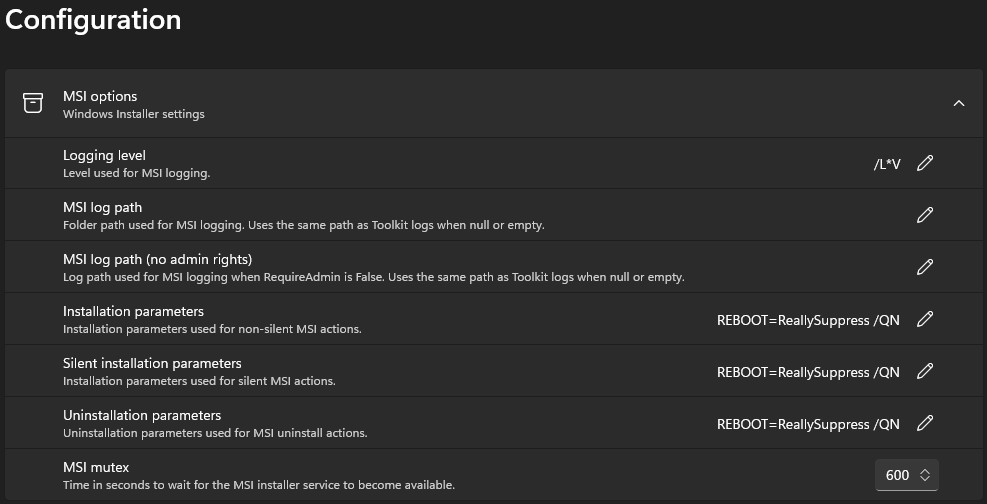
| Setting | Description |
|---|---|
| Logging level | Logging level used for MSI actions. |
| MSI log path | Folder used for MSI logging. |
| MSI log path (no admin rights) | MSI log path used when running without administrative rights. |
| Installation parameters | Parameters used for non-silent MSI actions. |
| Silent installation parameters | Parameters used for silent MSI actions. |
| Uninstallation parameters | Parameters used for MSI uninstall actions. |
| MSI mutex | Number of seconds to wait for the Windows Installer service to become available. |
UI Options
UI options control how PSADT dialogs behave during installation, uninstallation, and repair.
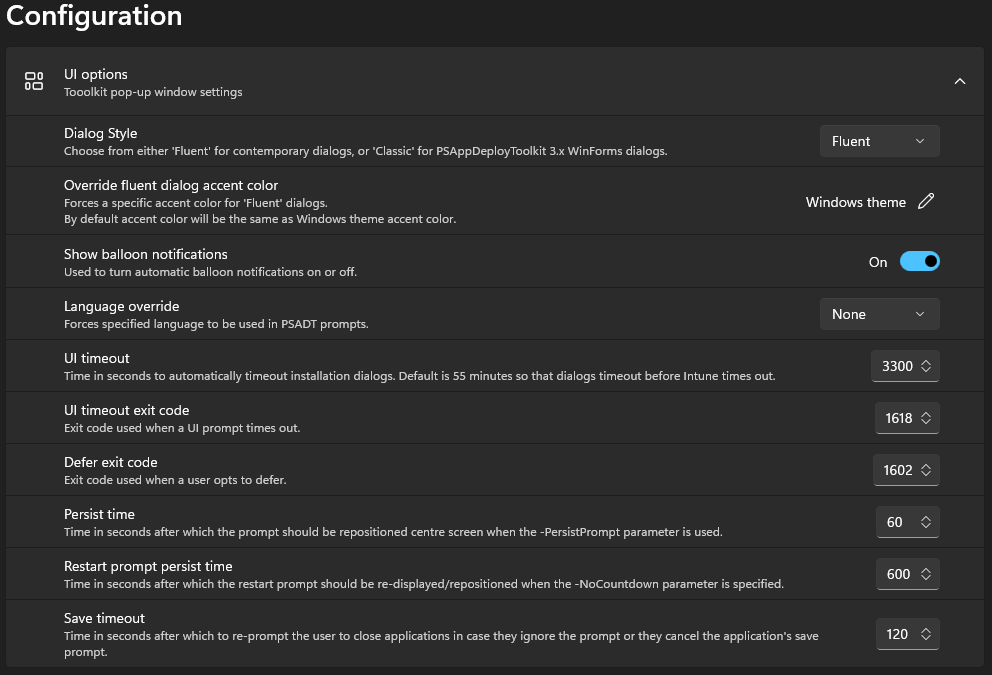
| Setting | Description |
|---|---|
| Dialog style | Chooses between Fluent and Classic dialog styles. |
| Override fluent dialog accent color | Sets a custom accent color for Fluent dialogs. |
| Show balloon notifications | Enables or disables balloon notifications. |
| Language override | Forces a specific language in PSADT prompts. |
| UI timeout | Number of seconds before dialogs time out automatically. |
| UI timeout exit code | Exit code returned when a UI prompt times out. |
| Defer exit code | Exit code returned when a user defers an installation. |
| Persist time | Time after which the prompt returns to the center of the screen. |
| Restart prompt persist time | Time after which the restart prompt reappears. |
| Save timeout | Time after which the user is prompted again to close applications. |