Digital Signature
The Digital Signature section lets you sign PSAppDeployToolkit script files before deployment so their integrity and authenticity can be verified.
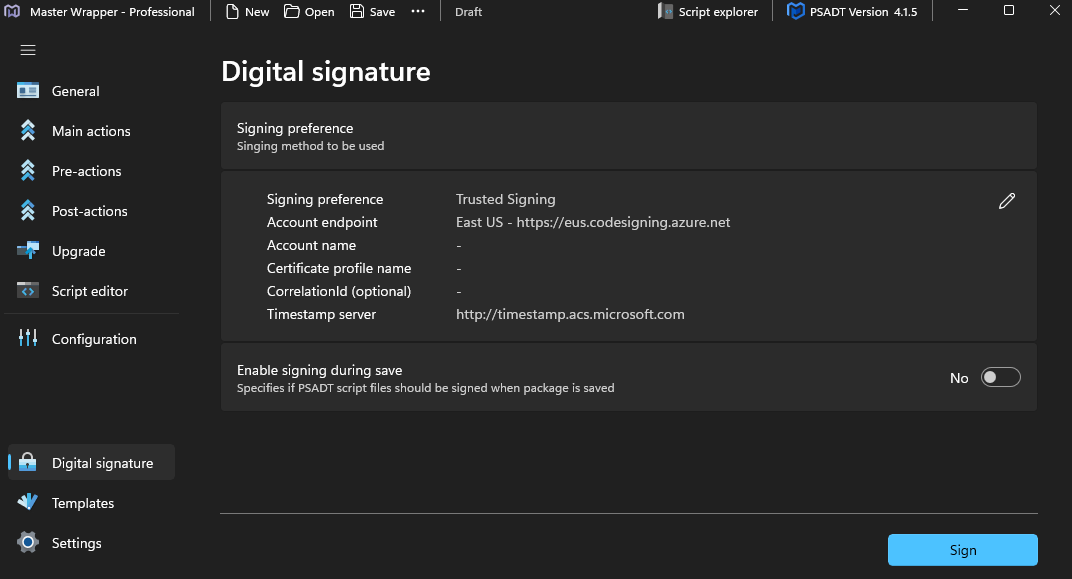
Signing methods
Choose the signing method that matches your environment.
| Method | Description |
|---|---|
| Trusted Signing | Uses Microsoft Azure Trusted Signing for automated code signing without managing certificates locally. Requires account details and optionally a correlation ID. |
| Certificate Thumbprint | Uses a locally installed certificate identified by thumbprint. You can also specify a timestamp server so the signature remains valid after certificate expiration. |
Certificate (.pfx, .p12) | Uses a certificate file from a specified path. Requires the certificate password and can also use a timestamp server. |
Sign on save
Enable signing during save to sign PSADT script files automatically whenever the package is saved.