Processes
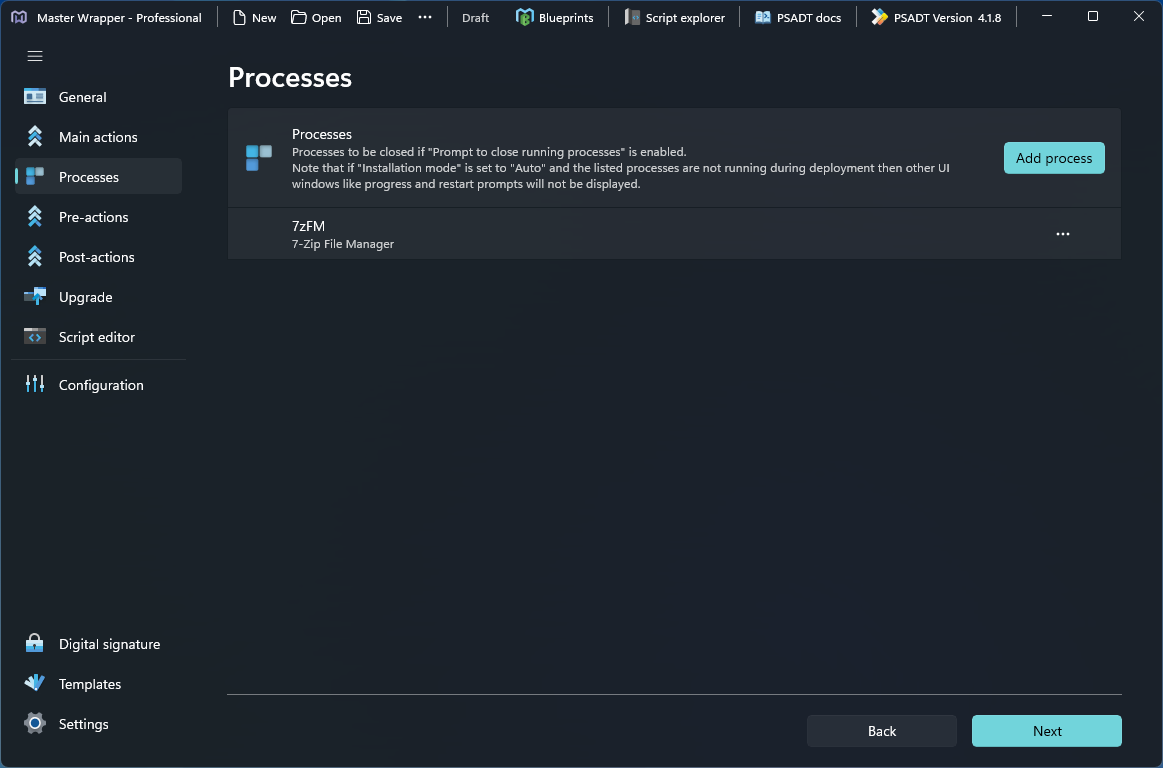
The Processes section lists the processes to be closed before deployment when Prompt to close running processes is enabled in Pre-Actions.
Whether the prompt is displayed depends on Installation mode in the General – Deployment settings.
| Installation mode | Behavior |
|---|---|
| Interactive | Shows dialogs. |
| Silent | Shows no dialogs. |
| Non-interactive | Shows dialogs without prompts. |
| Auto | Determines the installation mode automatically. |
Add a process
-
Open the Processes section.
-
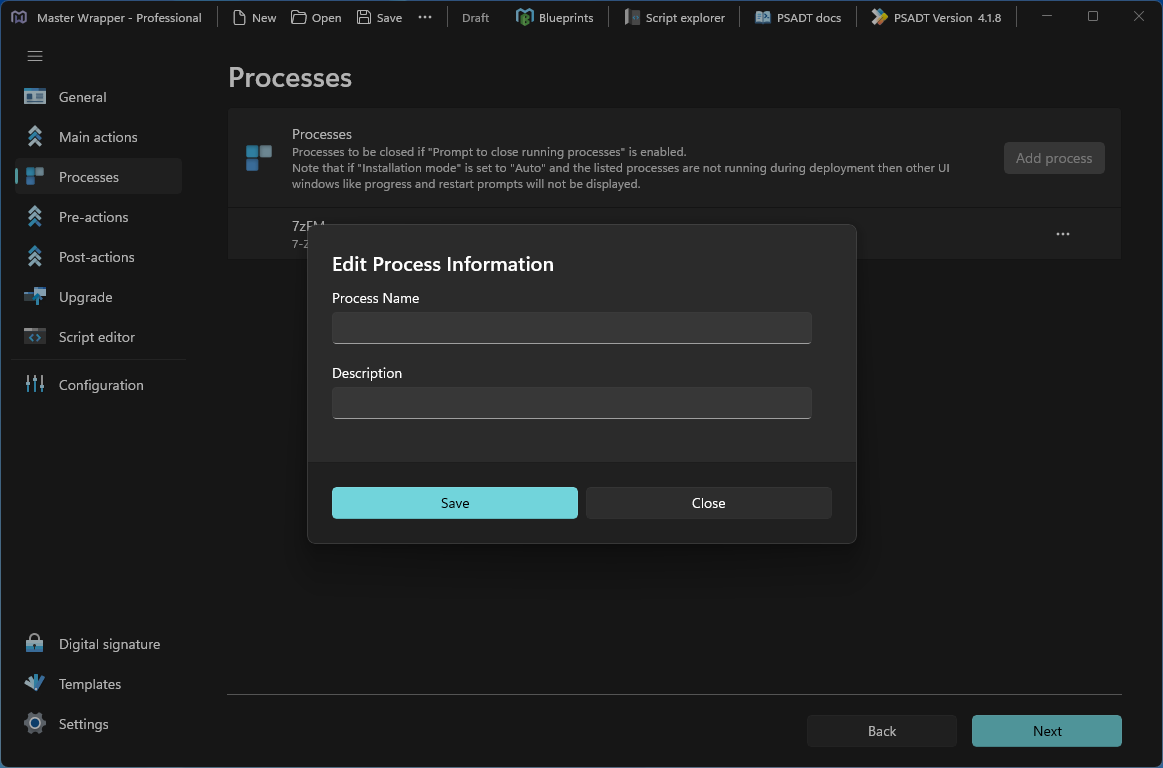
Select Add process. The Edit Process Information dialog opens.
-
Fill in the process details.
Field Description Process Name Name of the process without the .exeextension, for example7zFM.Description Description of the process, for example 7-Zip File Manager. -
Select Save.
Each process in the list shows its name and description. Use the ... menu next to a process for more options.
When an MSI is added under Main Actions, Master Wrapper reads the shortcut table and automatically adds all executables to the process list.
If Installation mode is set to Auto and none of the listed processes are running during deployment, other UI windows such as progress and restart prompts are not displayed.
Processes in the script
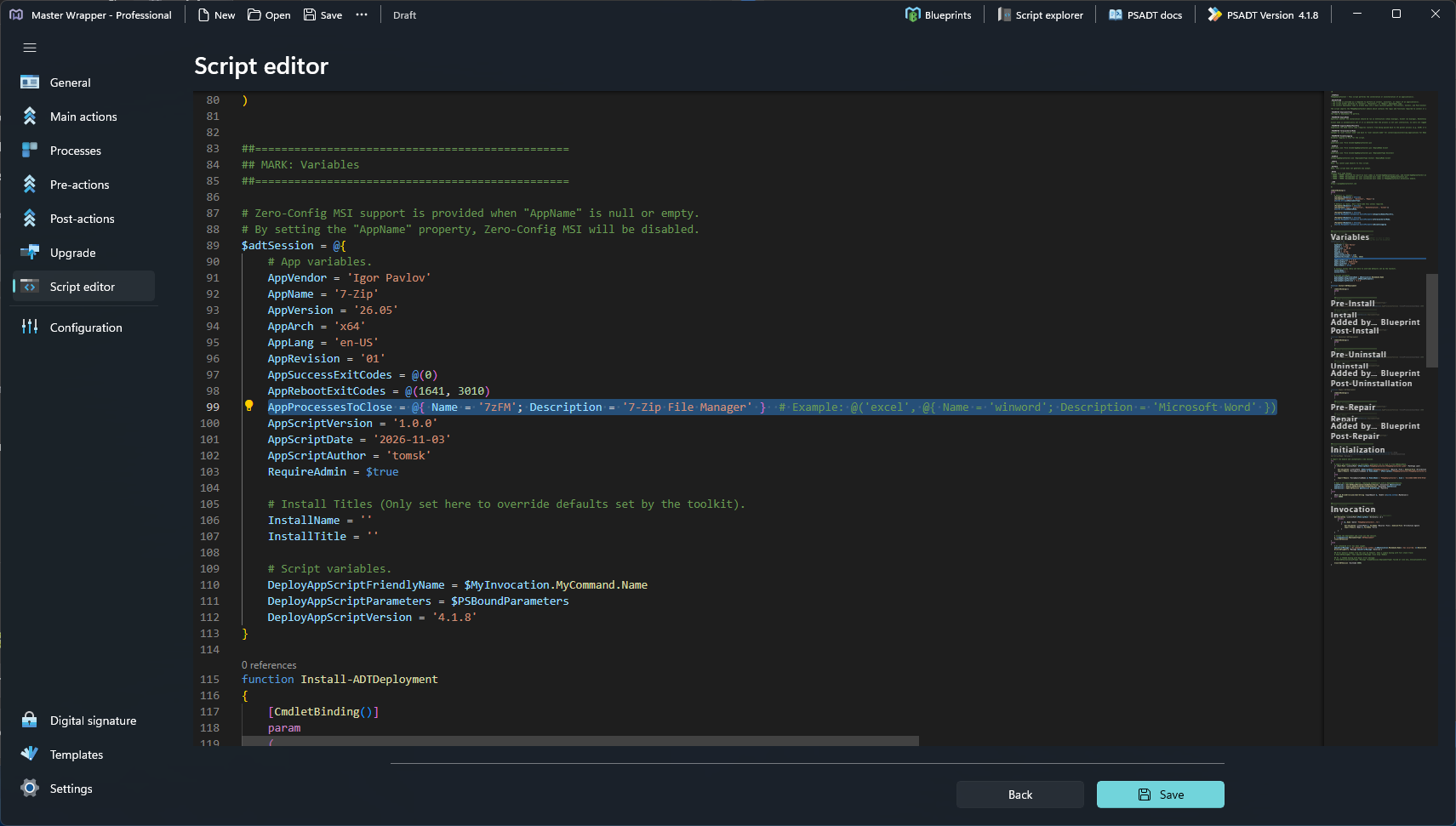
Master Wrapper writes the process list to the AppProcessesToClose property of $adtSession in the Variables section of the deployment script. You can review it in the Script Editor.
AppProcessesToClose = @{ Name = '7zFM'; Description = '7-Zip File Manager' }
Related settings
The following Pre-Actions options use the process list:
- Prompt to close running processes – prompts the user to close the listed processes before the process starts.
- Countdown time – closes the listed processes automatically after the specified number of seconds.
- Block execution – prevents the user from launching the listed processes during deployment.