Add Registry Values from .reg File
This Script Builder tool converts .reg files into PowerShell commands for PSAppDeployToolkit scripts.
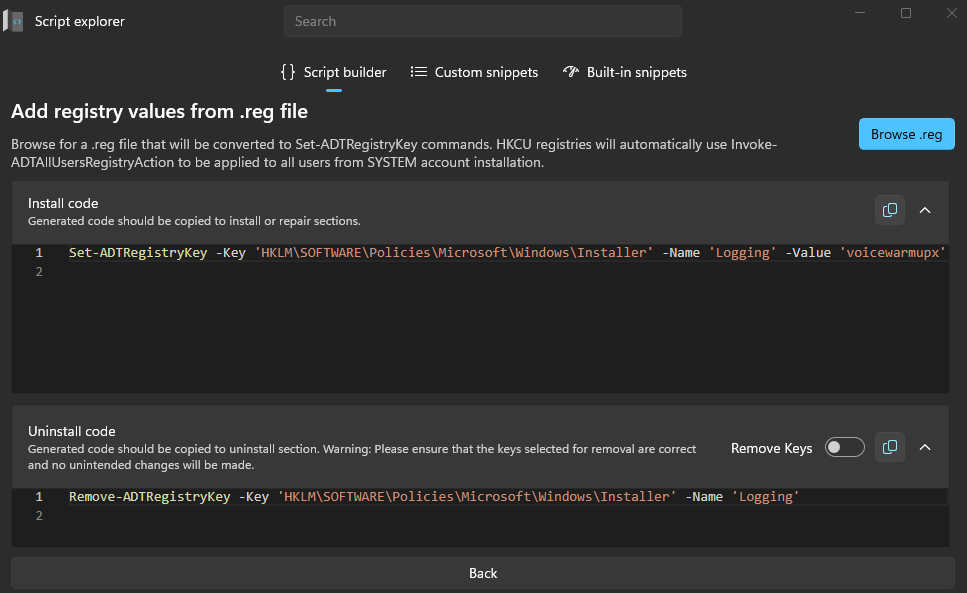
Convert a .reg file
- Select Browse .reg and choose a registry export file.
- Master Wrapper parses the
.regfile and generatesSet-ADTRegistryKeycommands for installation. - Master Wrapper also generates
Remove-ADTRegistryKeycommands for uninstallation. - If the registry keys are under
HKCU, the tool usesInvoke-ADTAllUsersRegistryActionso the changes apply to all user profiles during aSYSTEM-level installation.
Generated code
| Output | Description |
|---|---|
| Install code | Appears in the top code window and contains the generated Set-ADTRegistryKey commands. Copy it into the Install or Repair section. |
| Uninstall code | Appears in the bottom code window and contains the generated Remove-ADTRegistryKey commands. Copy it into the Uninstall section. |