Custom Snippets
Custom Snippets lets you save reusable PowerShell code, such as file-copy commands or registry cleanup logic, and insert it again in future projects.
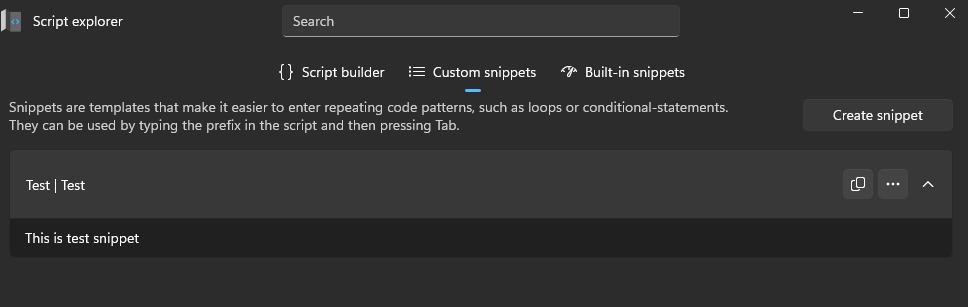
Create a snippet
- Select Create a snippet.
- Enter a snippet Name.
- Enter the Prefix used to invoke the snippet.
- Add a Description shown in IntelliSense.
- Enter the PowerShell script.
- Select Save.
note
Snippets use TextMate Snippet syntax for placeholders and tab stops.
Use a snippet
- Start typing the snippet prefix in the Script Editor.
- When the snippet appears in the suggestion list, press Tab to insert it.