Templates
Templates let you save reusable PSAppDeployToolkit configurations in Master Wrapper. They are useful when you need to apply the same settings across multiple projects or client environments.
Why use templates
- Save complete wrapper configurations for reuse.
- Apply consistent branding and deployment settings.
- Start new projects faster with predefined defaults.
Create a template
-
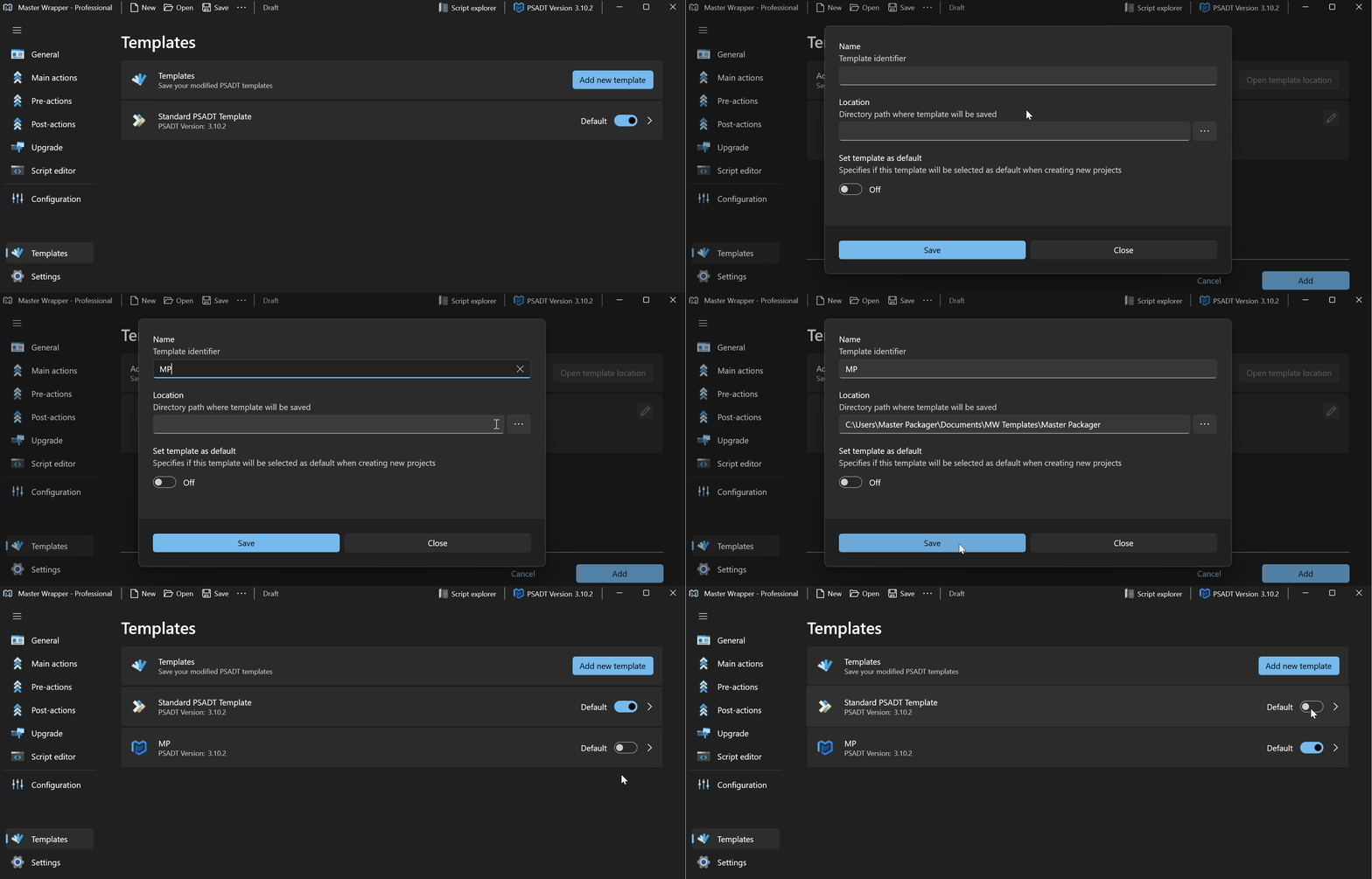
Open the Templates section.
-
Select Add New Template.
-
Enter the template details.
Field Description Name Descriptive name for the template. Location Directory where the template is stored. Set template as default Applies the template automatically to new projects. -
Save the template.
Apply a template
When you create a new project, select a template from the list to apply its predefined settings automatically.
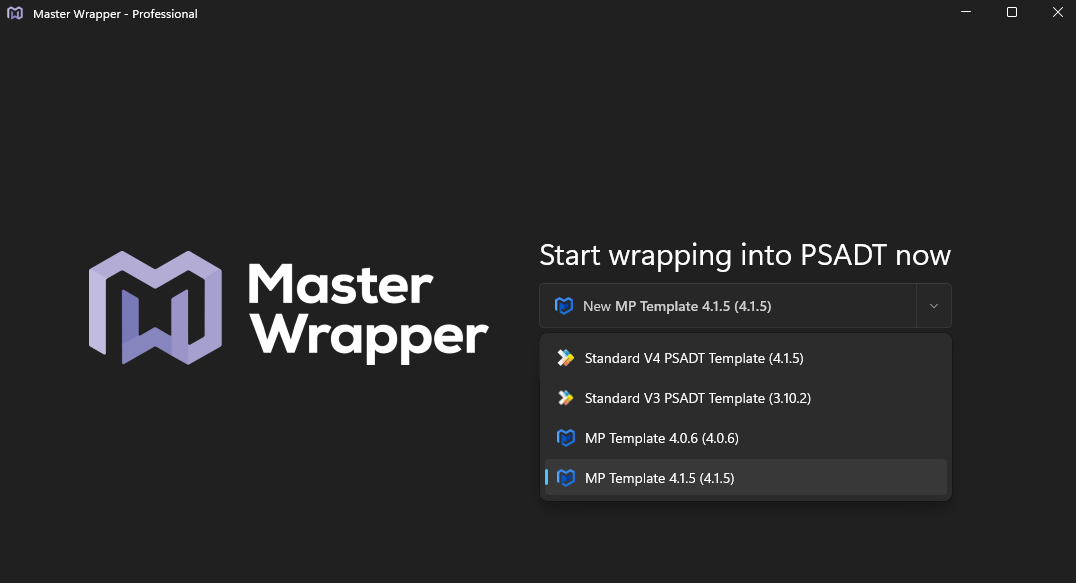
Applied settings can include PSADT options, branding, configuration values, and UI preferences.
Update a template
You can modify an existing template and save it again when your packaging standard changes.